# Create a selling point

The purpose of this tutorial is to create a point of sale that allows exchanging products for money.

To achieve this, we will use components that will be added to the prefab:

[![image.png](https://wiki.nabla.sh/uploads/images/gallery/2024-12/scaled-1680-/image.png)](https://wiki.nabla.sh/uploads/images/gallery/2024-12/image.png)

We are using the base setuop that the everon team did and we decompose it to analyse it's function:

<p class="callout warning">Putting the componenet on a npc does not seem to be working therefore you need to put an prefab (i recommand putting for exemple a prefab in link with the farm)</p>

##### <span style="white-space: pre-wrap;">- </span>****EL\_restrictedInventoryStorageCompinent****<span style="white-space: pre-wrap;">: </span>

this component seem to be the one who are filtering the item you can exchange

[![image.png](https://wiki.nabla.sh/uploads/images/gallery/2024-12/scaled-1680-/CyGimage.png)](https://wiki.nabla.sh/uploads/images/gallery/2024-12/CyGimage.png)
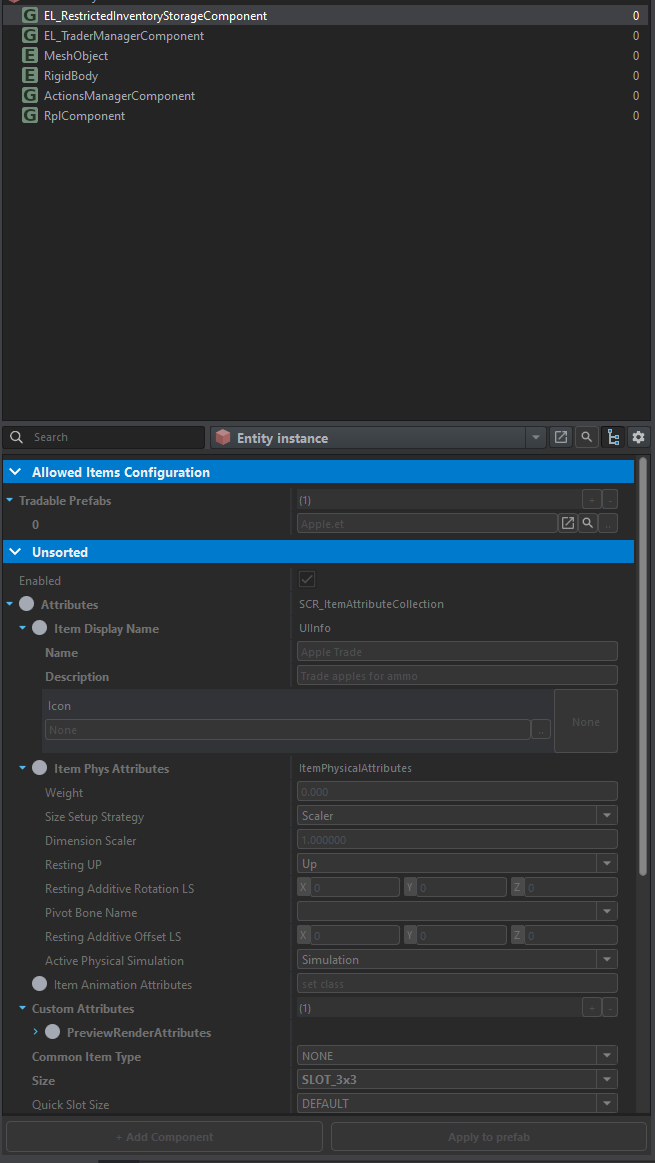
we see here at the begining the item that the prefab take (in the exemple it's an apple)

##### ****- EL\_TraderManagerComponent****

[![image.png](https://wiki.nabla.sh/uploads/images/gallery/2024-12/scaled-1680-/DITimage.png)](https://wiki.nabla.sh/uploads/images/gallery/2024-12/DITimage.png)
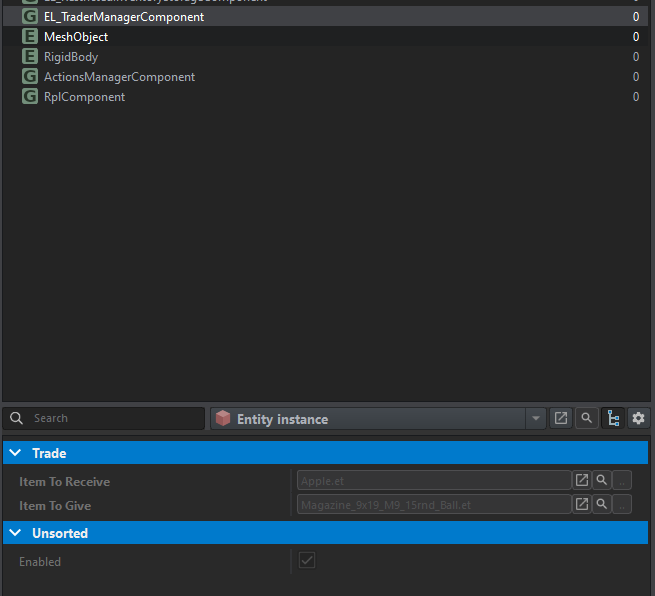
This component is therefore used to take an item and exchange it for another.

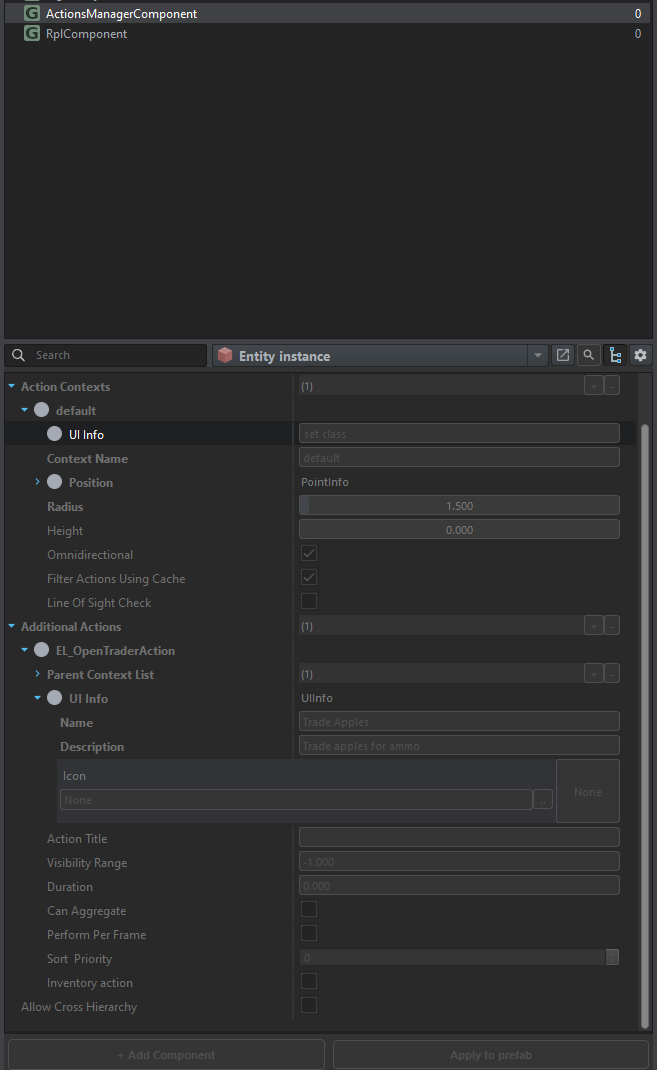
##### ****- Action manager****

[![image.png](https://wiki.nabla.sh/uploads/images/gallery/2024-12/scaled-1680-/JOWimage.png)](https://wiki.nabla.sh/uploads/images/gallery/2024-12/JOWimage.png)