# Change price of a item in bulding construction
1. You need to override the EditorModeBuilding prefab (in prefab -> editor -> modes). [https://enfusionengine.com/api/redirect?to=enfusion://ResourceManager/$ArmaReforger:Prefabs/Editor/Modes/EditorModeBuilding.et](https://enfusionengine.com/api/redirect?to=enfusion://ResourceManager/$ArmaReforger:Prefabs/Editor/Modes/EditorModeBuilding.et)
2.Find the component ****SCR\_CampaignBuildingPlacingEditorComponent****.[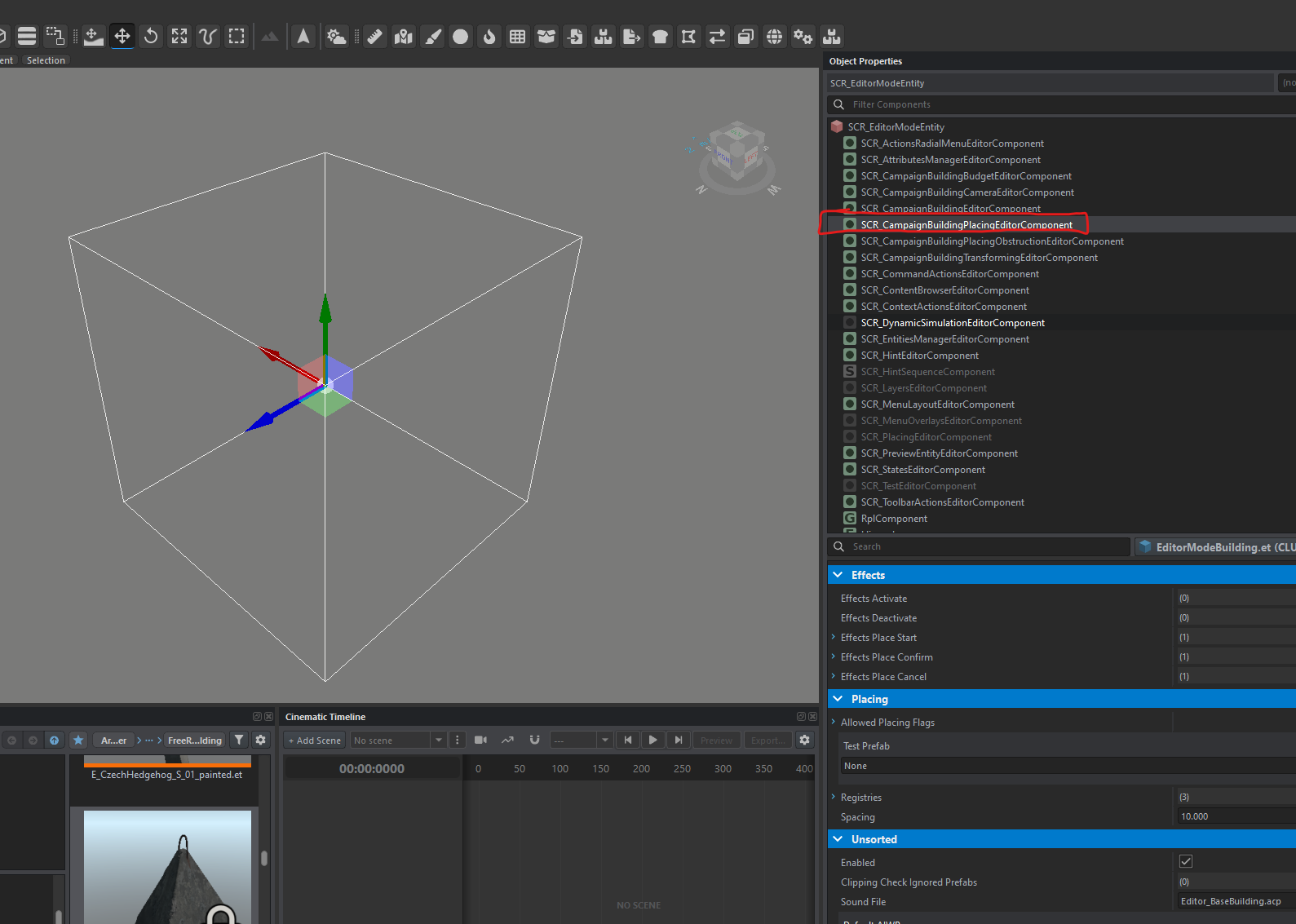](https://wiki.nabla.sh/uploads/images/gallery/2025-03/H9Himage.png)
3. Go to the ****Registries**** line.
[](https://wiki.nabla.sh/uploads/images/gallery/2025-03/02jimage.png)
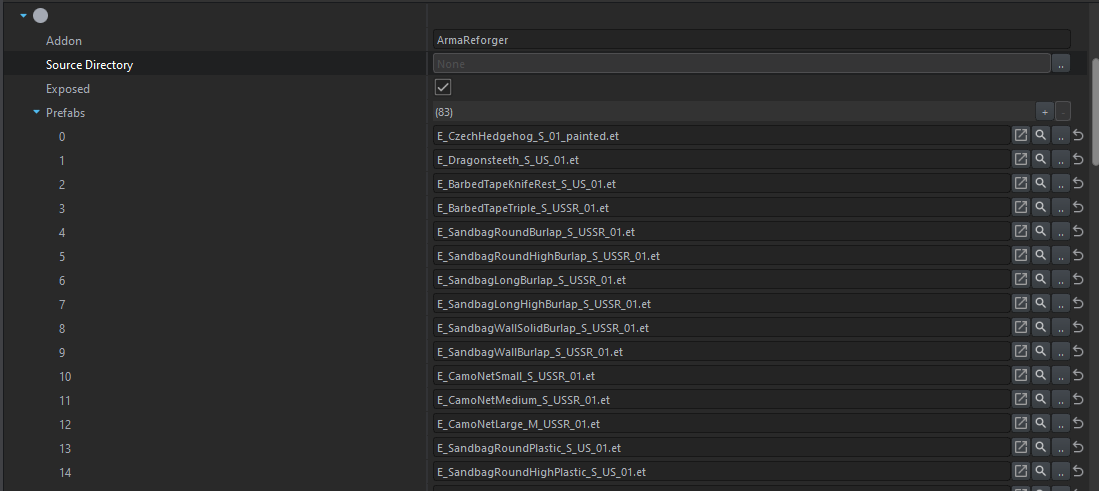
4. Take the first empty line and expand ****Prefab****.
[](https://wiki.nabla.sh/uploads/images/gallery/2025-03/G0uimage.png)
Here, you will find the list of all placeable compositions in construction mode.
5.Press the magnifying glass to locate the composition you want to modify.
[](https://wiki.nabla.sh/uploads/images/gallery/2025-03/tWjimage.png)
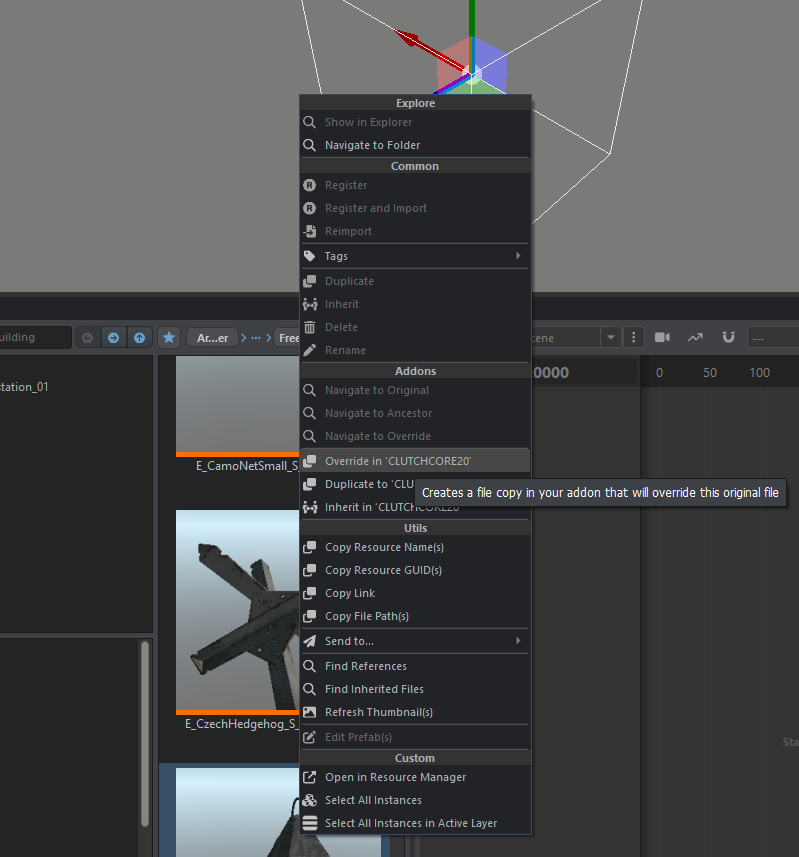
6\. dans notre exemple on va prendre la dent de dragon, vous allez alors override la composition en faisant clique droit sur l'objet et overire
[](https://wiki.nabla.sh/uploads/images/gallery/2025-03/lI5image.png)
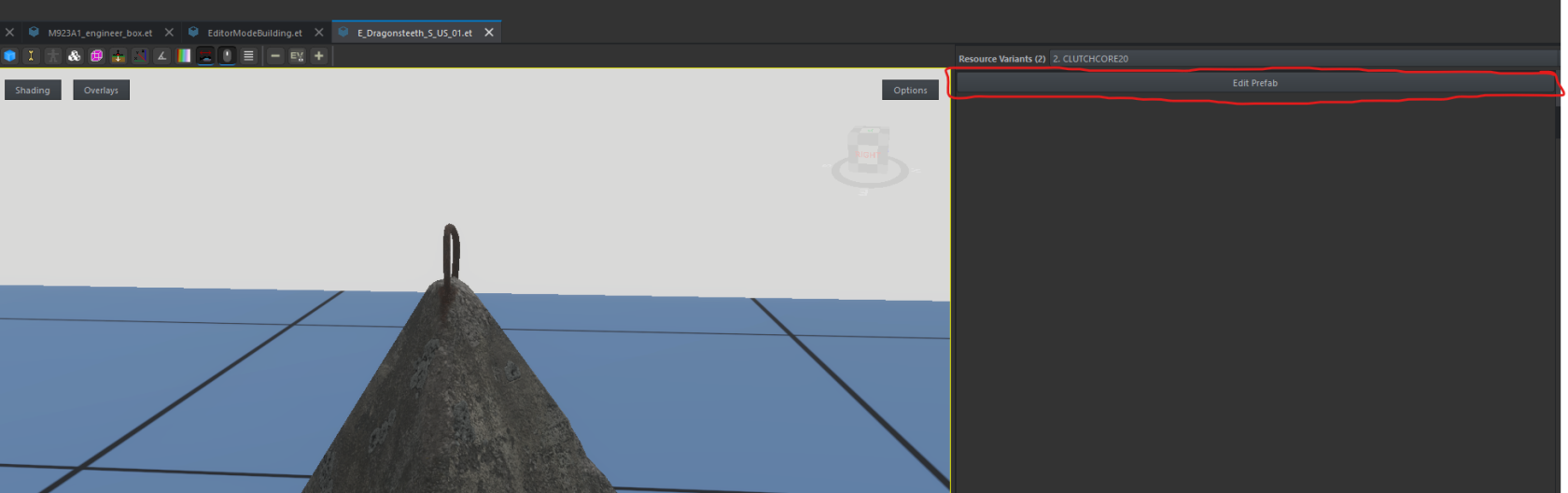
7. Edit the ****Prefab****.
[](https://wiki.nabla.sh/uploads/images/gallery/2025-03/lRhimage.png)
8. Go to the ****SCR\_EditableEntityComponent**** component.
[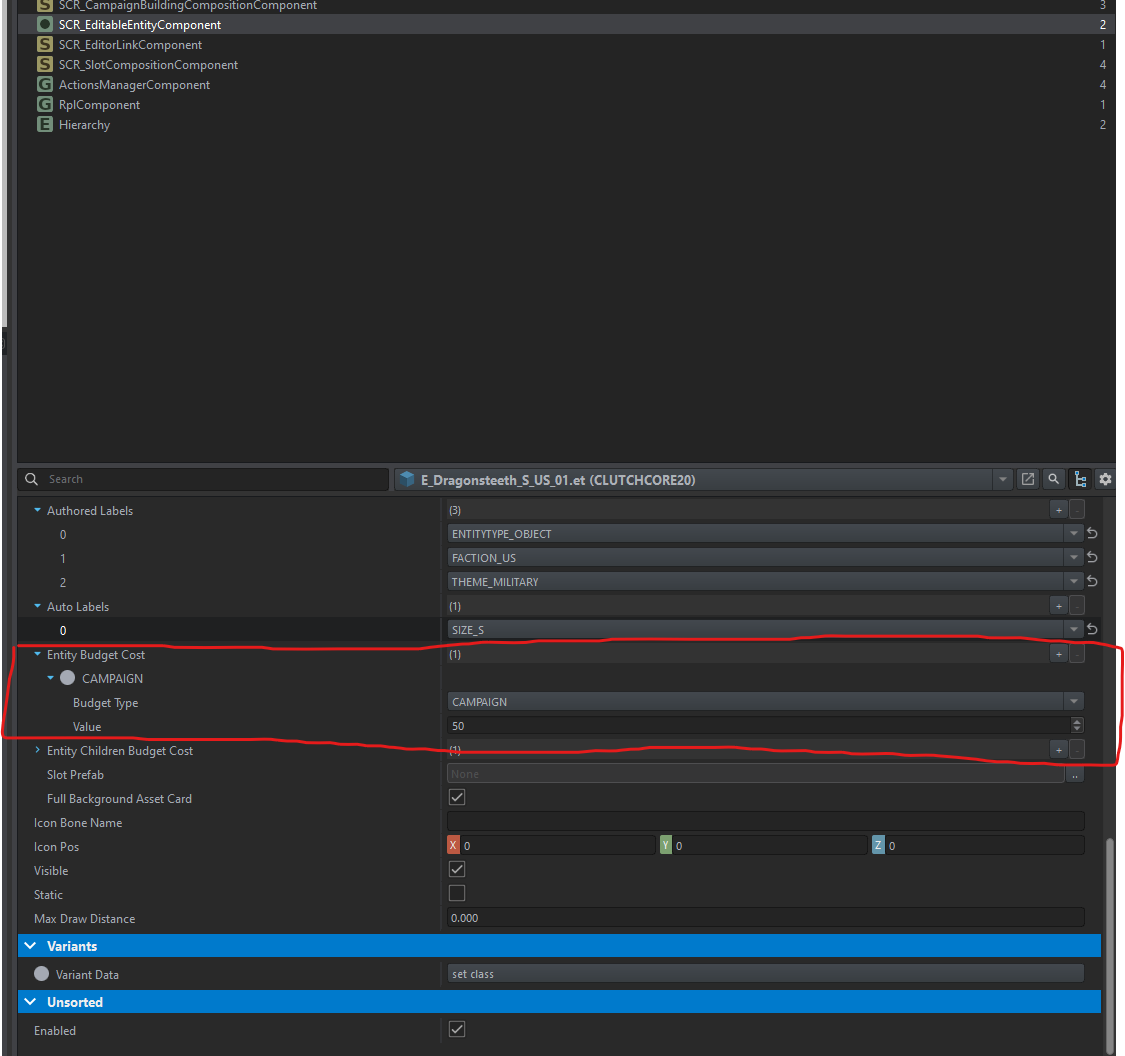](https://wiki.nabla.sh/uploads/images/gallery/2025-03/qljimage.png)