# Freedmon Fighter
The one and only scenario that is worth to try made by the greatest: JohnnyKerner
https://www.johnnykerner.dev/FreedomFighters/download/index.html
# Define a military base (POI) (exemple with levie on EDEN)
####
[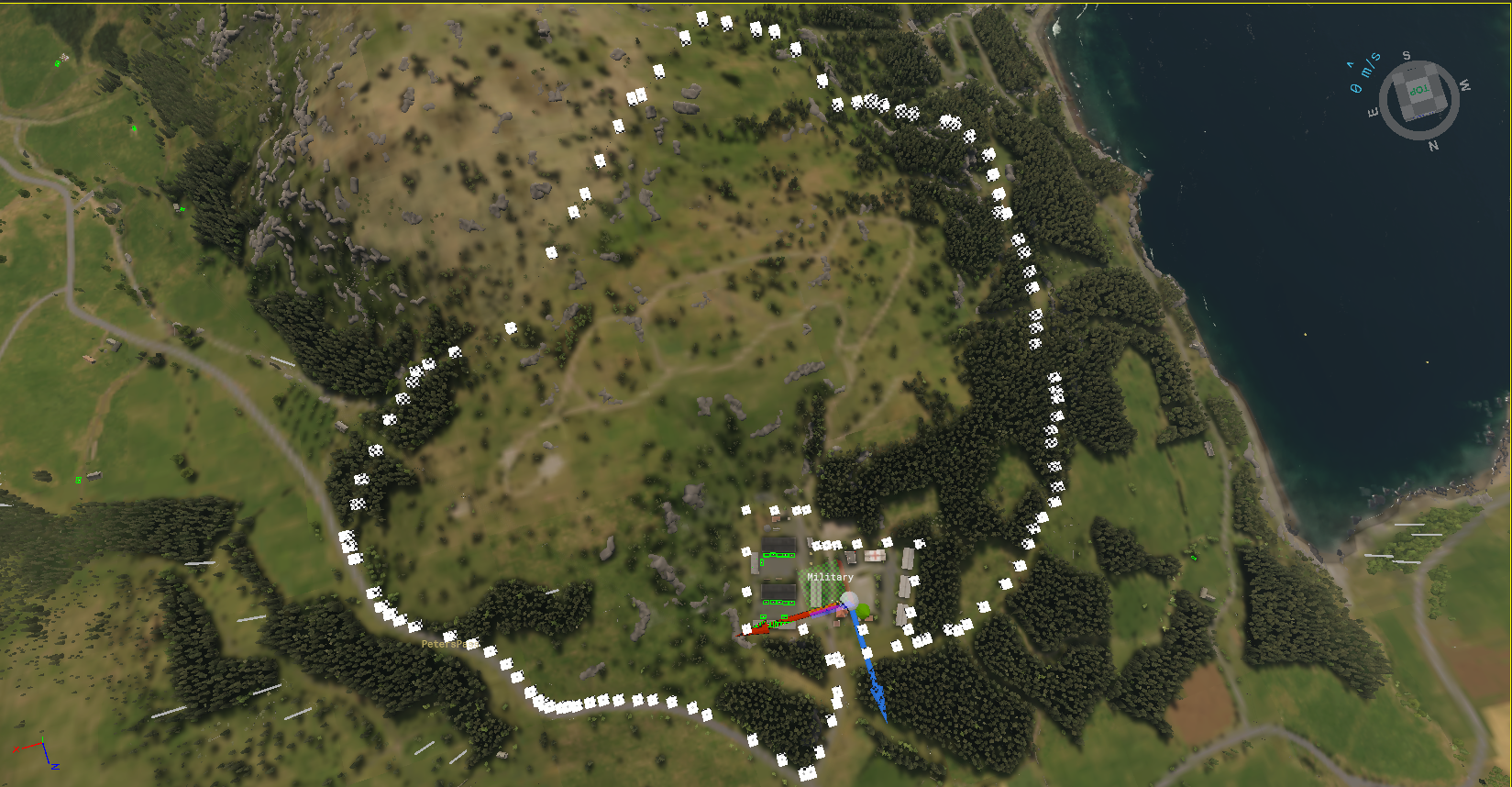](https://wiki.nabla.sh/uploads/images/gallery/2025-08/image.png)
First thing that we notice is the large spline
[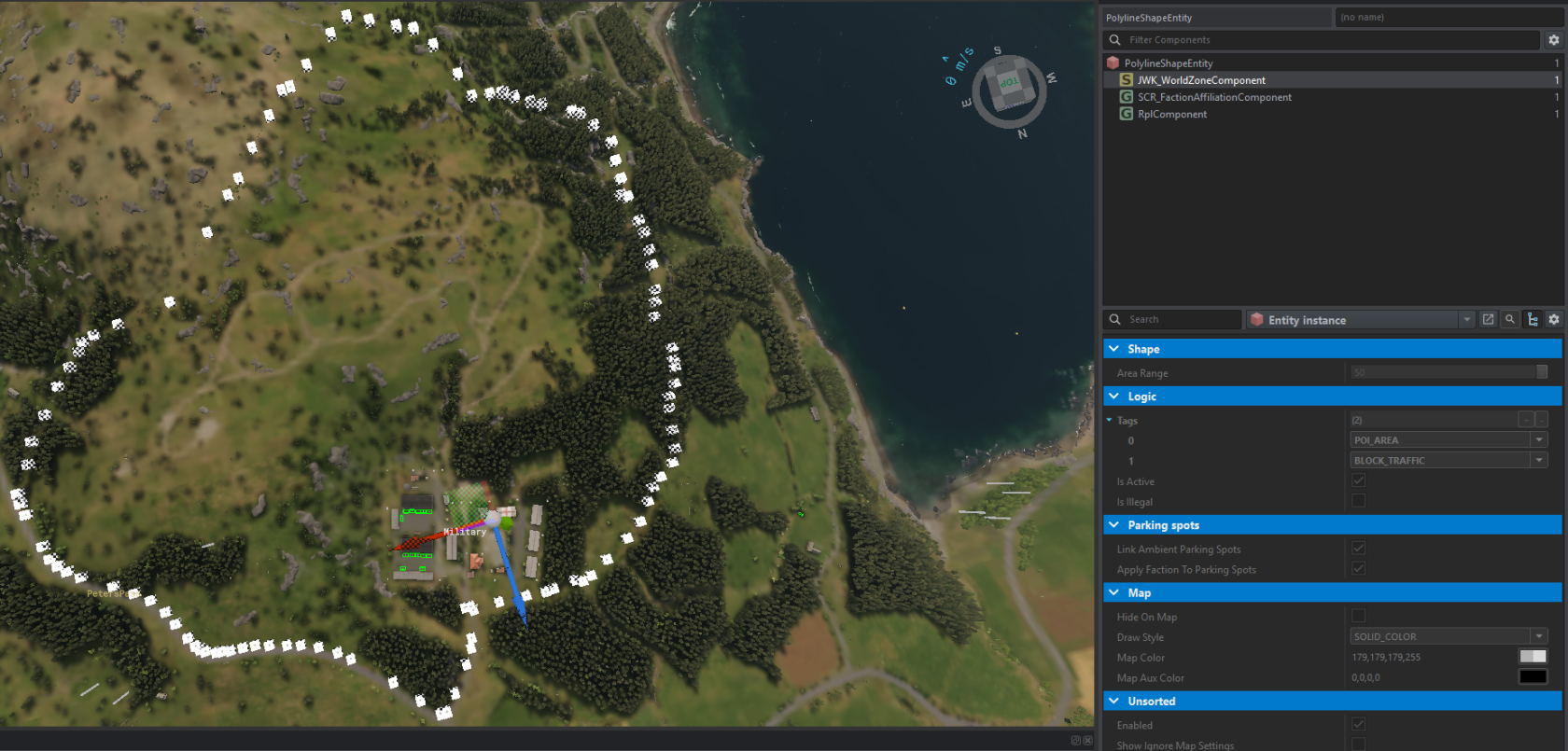](https://wiki.nabla.sh/uploads/images/gallery/2025-08/uVVimage.png)
As we can see there is 2 tag link to this "Zone"
- POI\_area (i am assumgin for drawing on the map info) [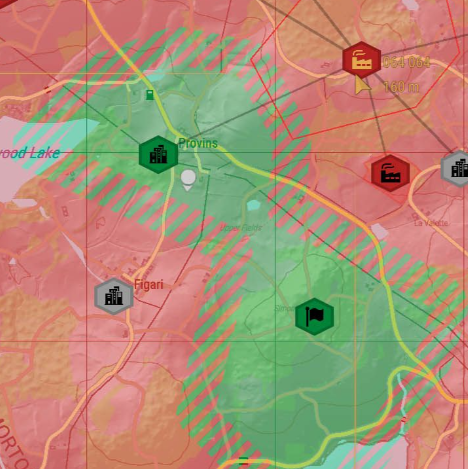](https://wiki.nabla.sh/uploads/images/gallery/2025-08/JInimage.png)
\- BLOCK\_TRAFFIC (to prevent IA entering in the military zone for Roleplay purpose)
When we select the other area we have other tags
[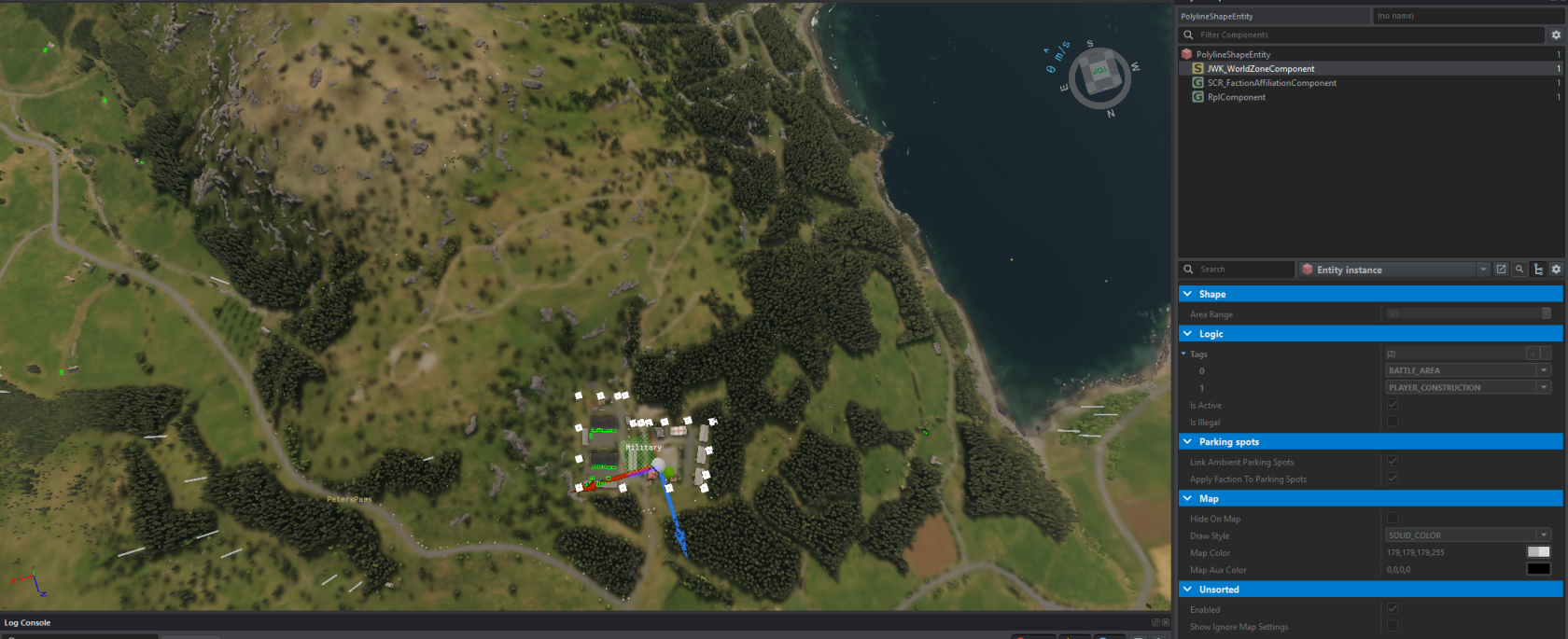](https://wiki.nabla.sh/uploads/images/gallery/2025-08/KeGimage.png)
\- BATTLE\_AREA is the area in which you have to be to progress capturing (if no players are inside, you start to lose).
you can have as many as you like. So for example you can have 4 buildings and only players inside buildings will count.
Btw. important thing, zone entity origin has to be within distance of the controller to work. By default that is 25 meters I think.
\- PLAYER\_COSNTRUCTION to let player build in the area their fob or other
We have also siren placed in the base to alert player and IA of an attack
[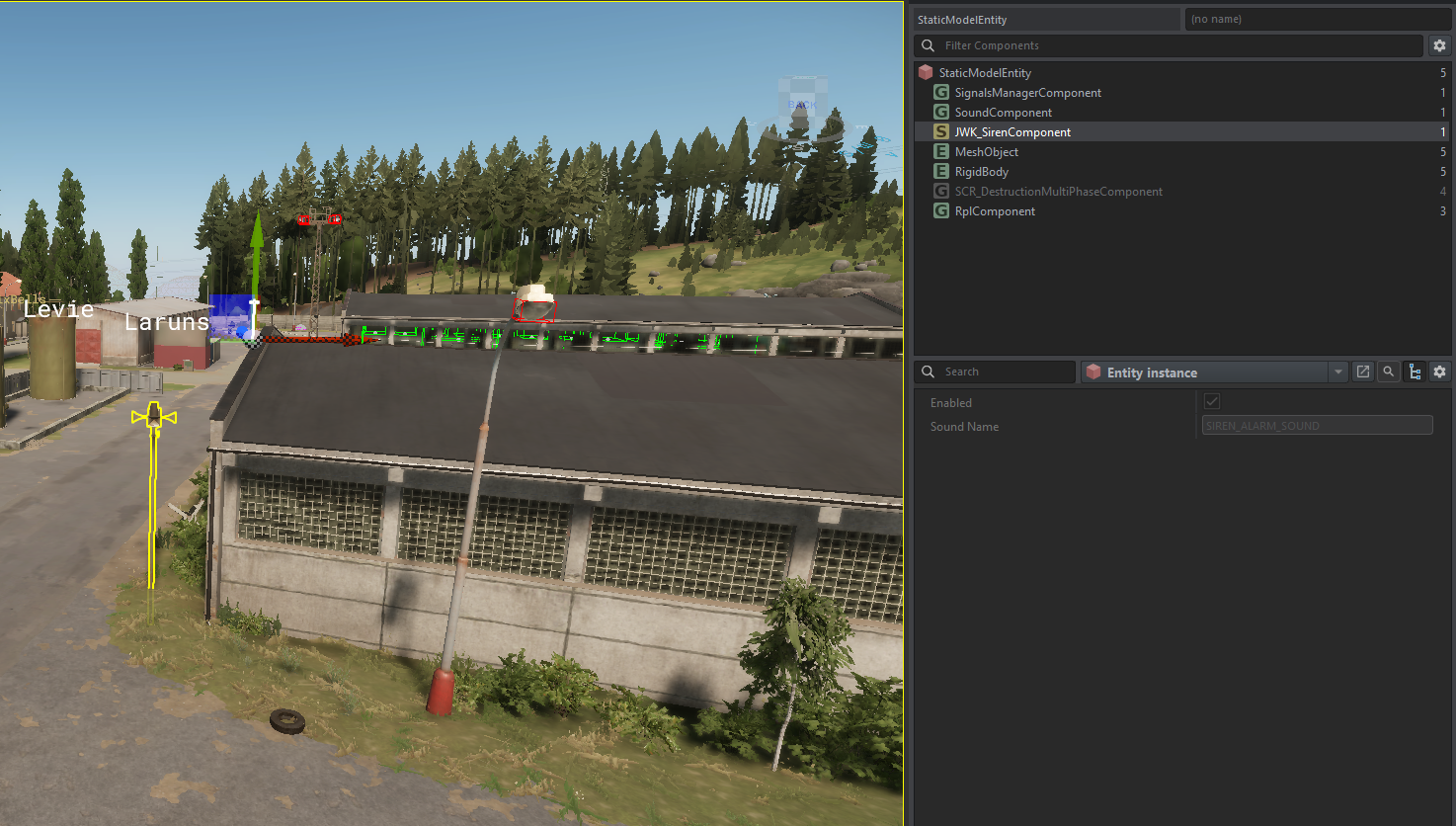](https://wiki.nabla.sh/uploads/images/gallery/2025-08/BvHimage.png)
And the MBC\_Levie wich seem to be the core logic of the base with all the setting of the POI
[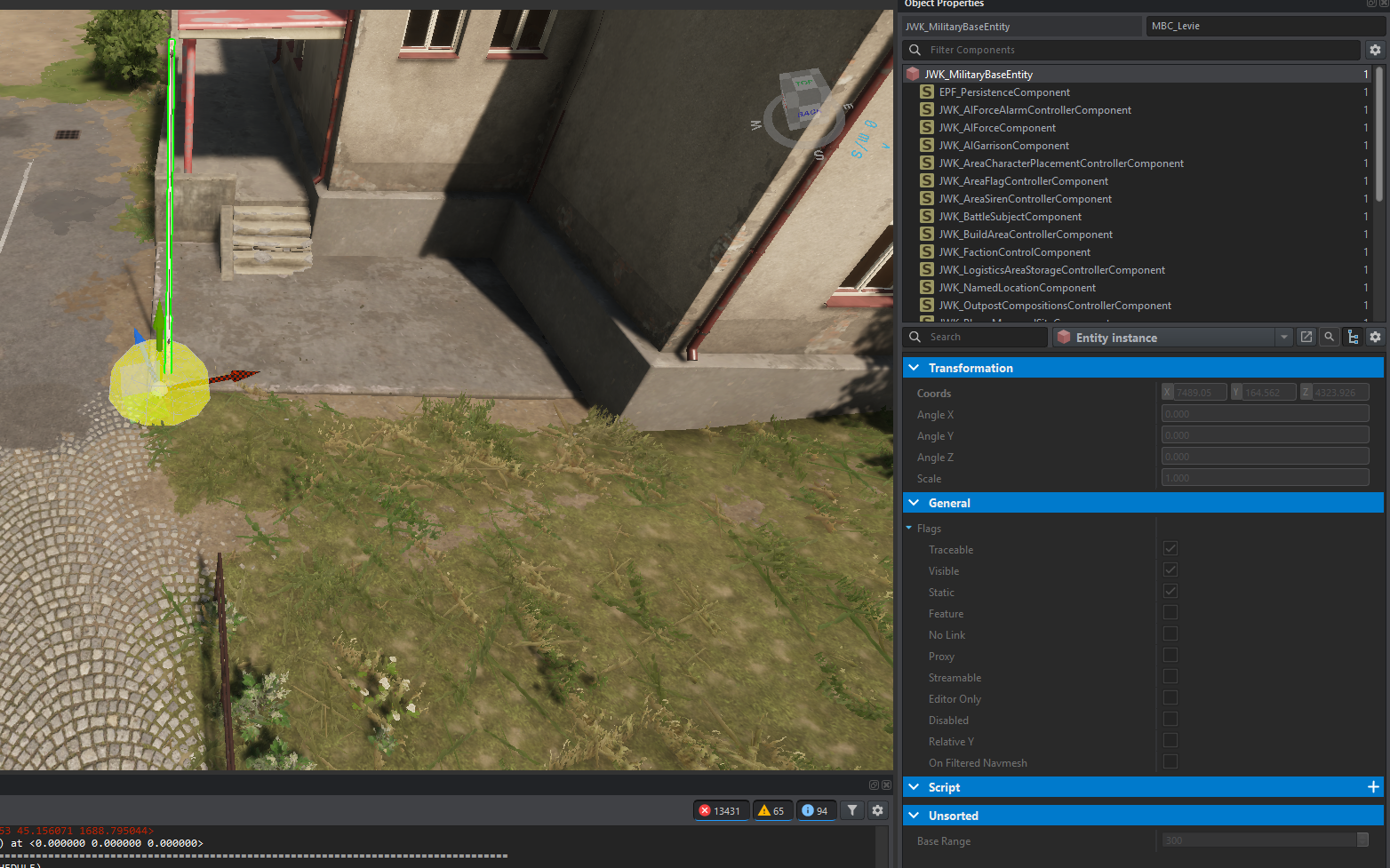](https://wiki.nabla.sh/uploads/images/gallery/2025-08/XPwimage.png)
First thing we notice is the Base Range
# Define a Power Plant (POI) (exemple with powerplant on EDEN)
[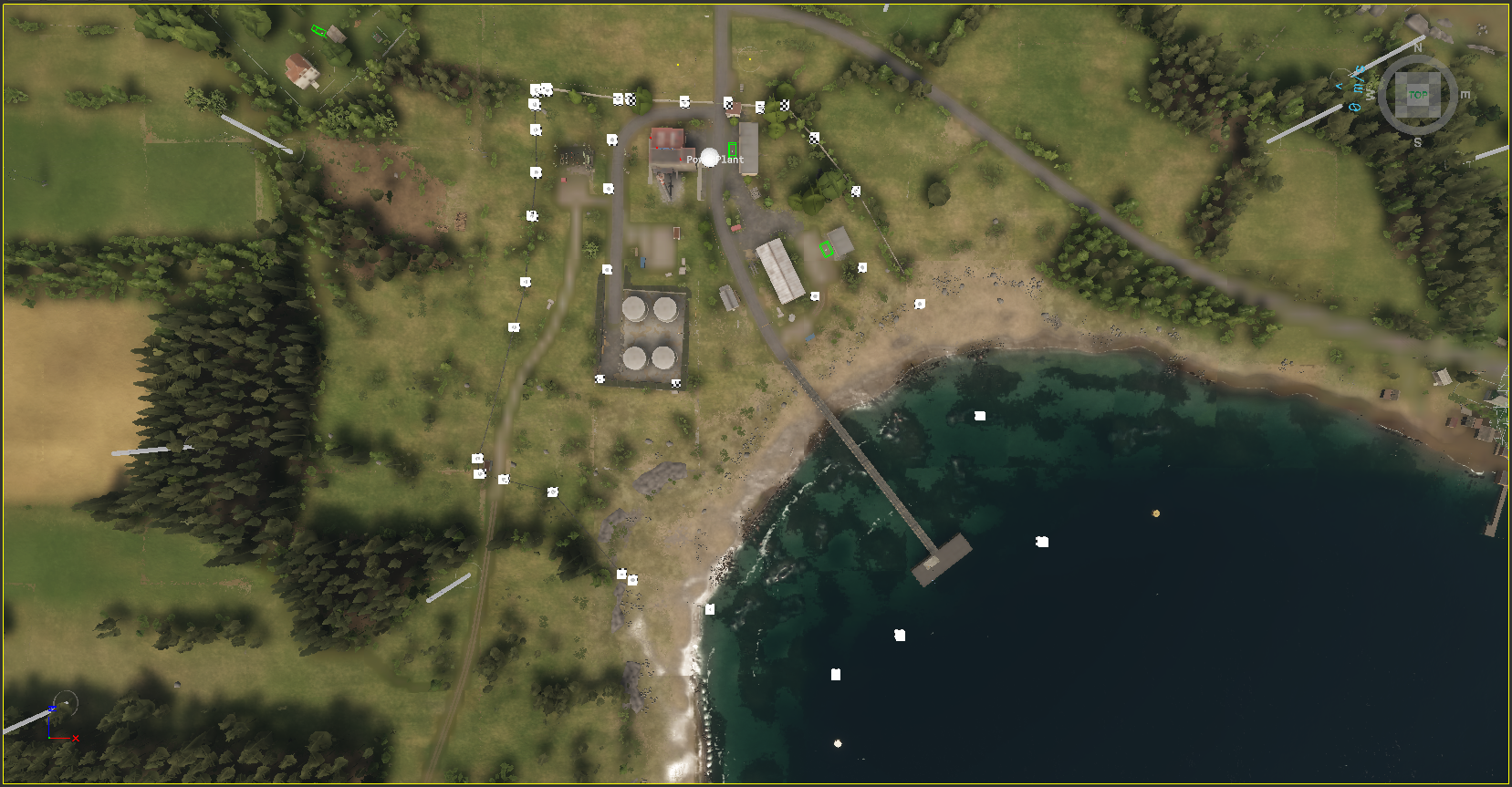](https://wiki.nabla.sh/uploads/images/gallery/2025-08/k9dimage.png)
Same principle you have at least 2 zone (poi + battle)
[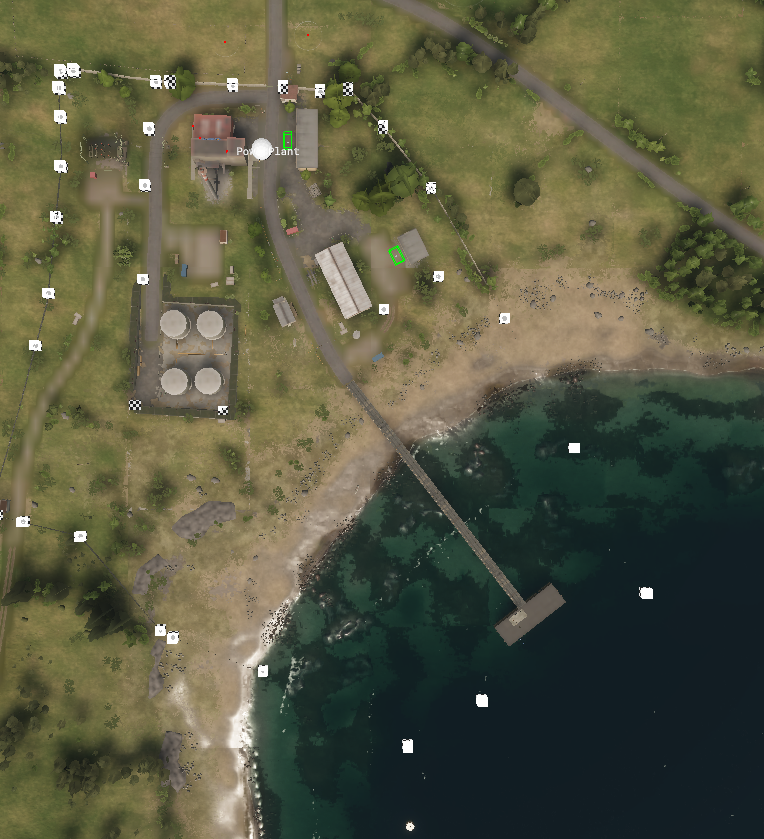](https://wiki.nabla.sh/uploads/images/gallery/2025-08/Cbiimage.png)
inner circle is the battle zone and the outter is the poi
we see 2 SlotFlatSmall that are used
[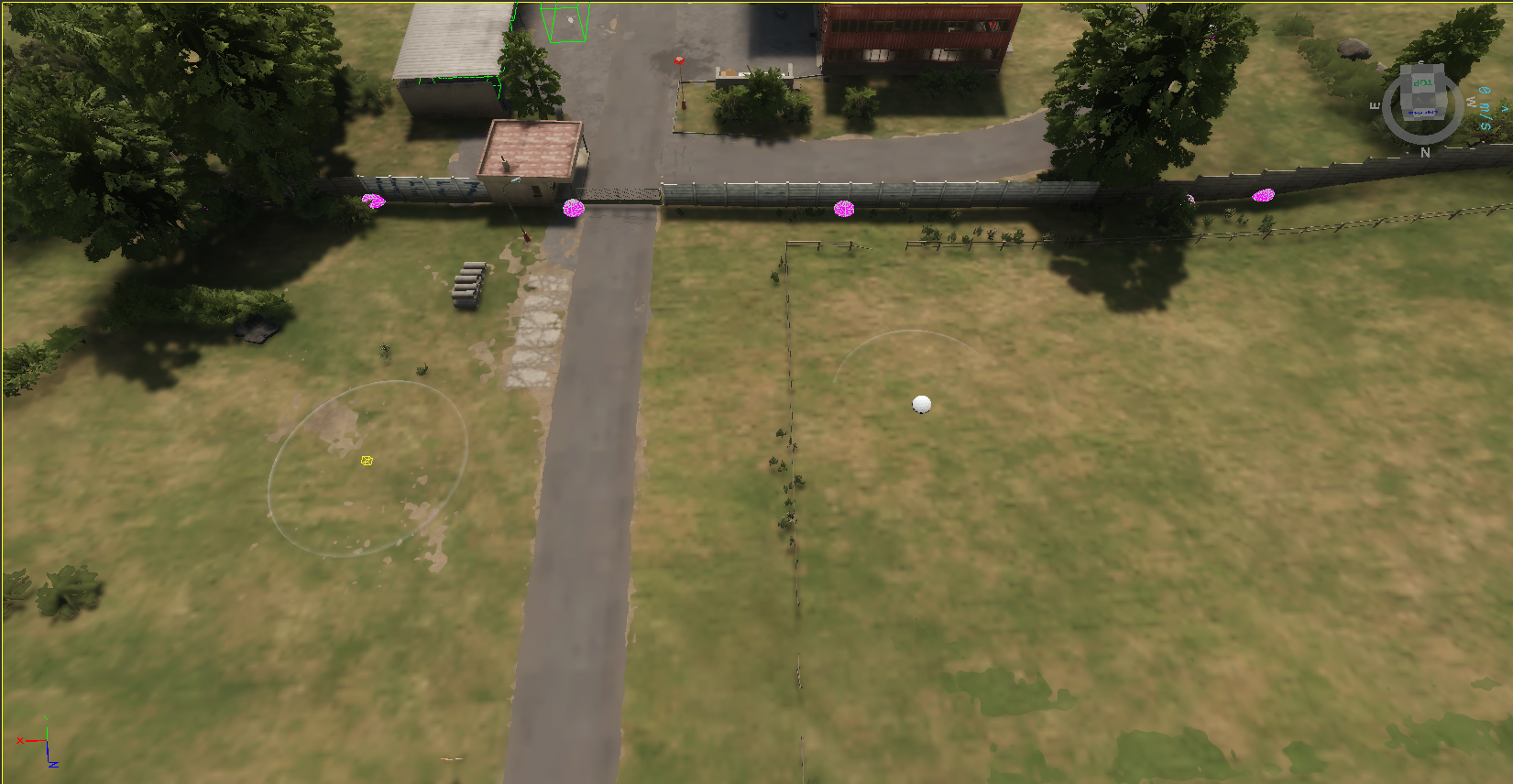](https://wiki.nabla.sh/uploads/images/gallery/2025-08/7h8image.png)
# Define a Fuel Station (POI)
[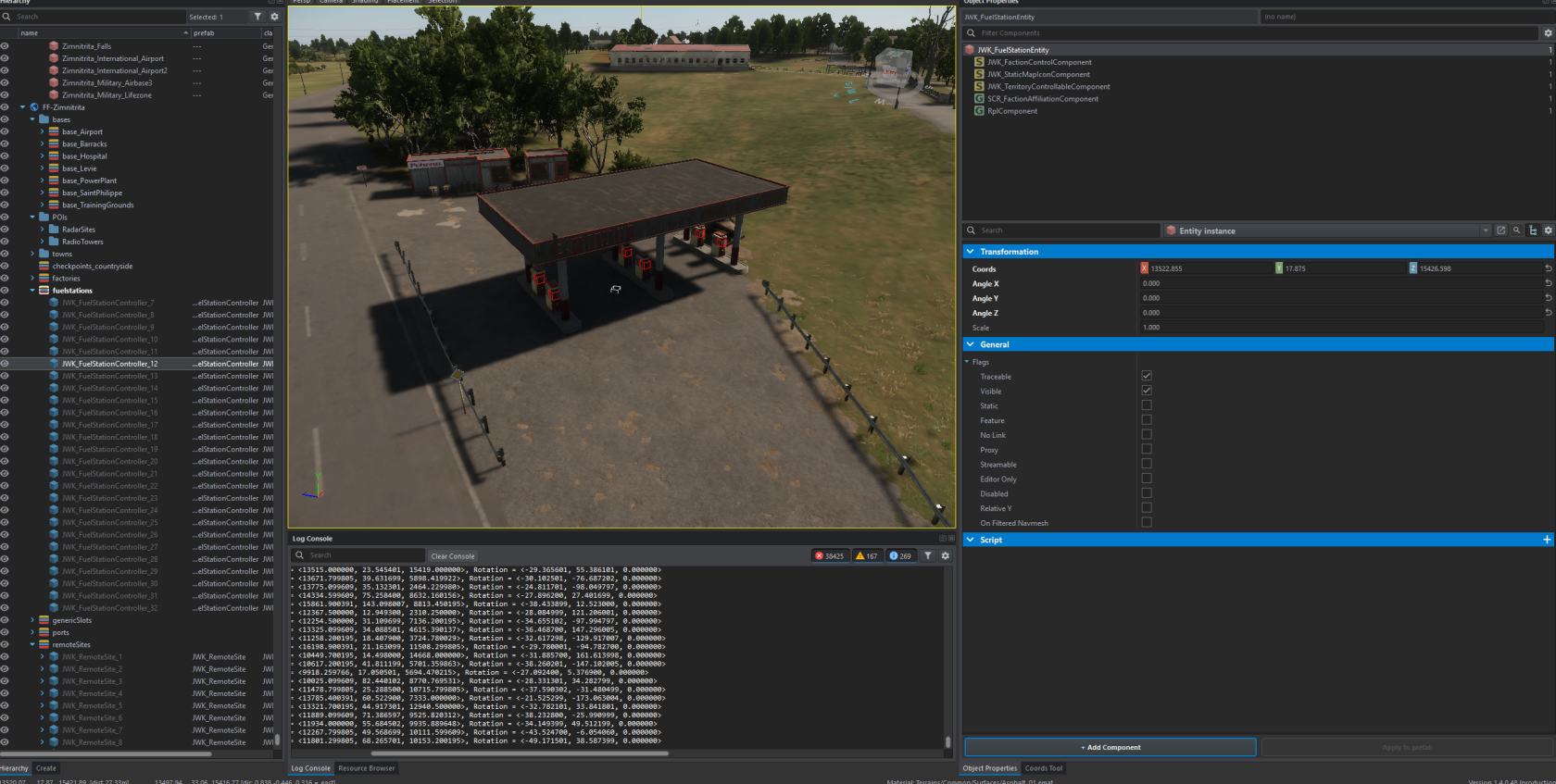](https://wiki.nabla.sh/uploads/images/gallery/2025-08/EViimage.png)
Just add the prefab JWK\_FuelStationController
# Define a Factorie (POI) (exemple with factorie FC_CementPlant on EDEN)
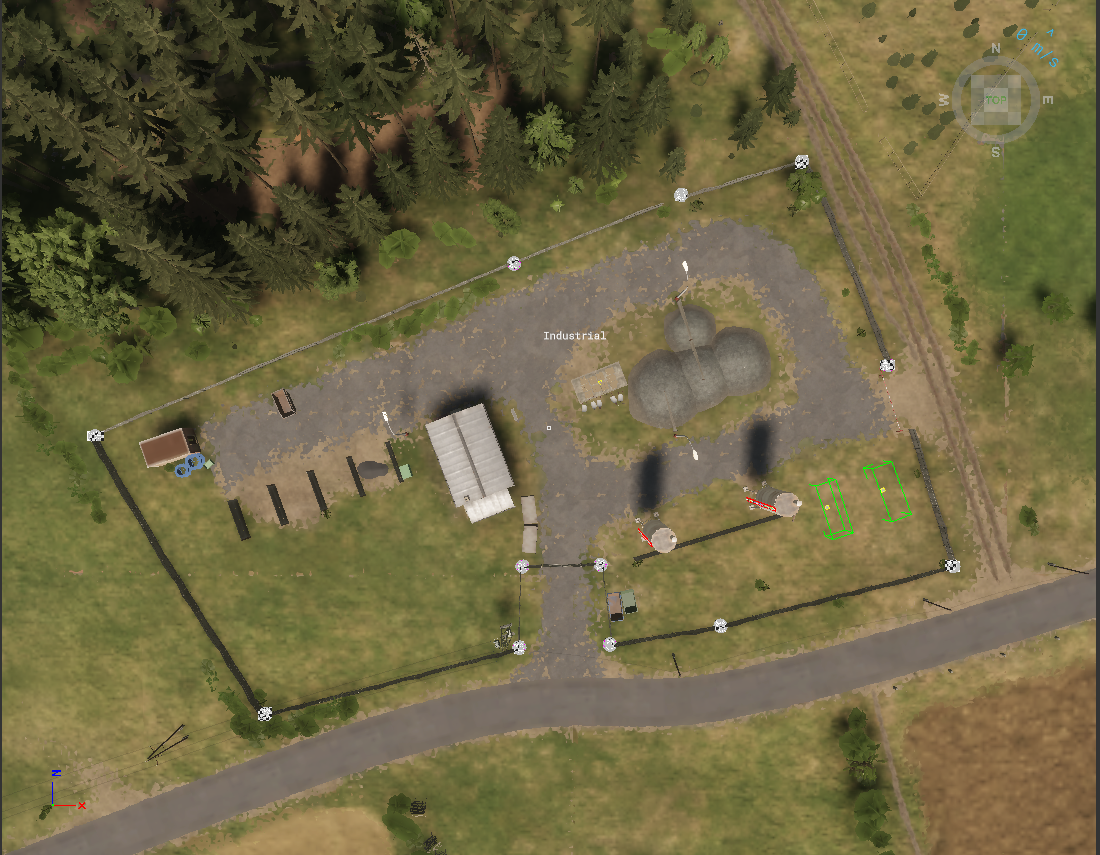
We cann see only 1 zone is required
that regroupe POI, Battle and block traffic
[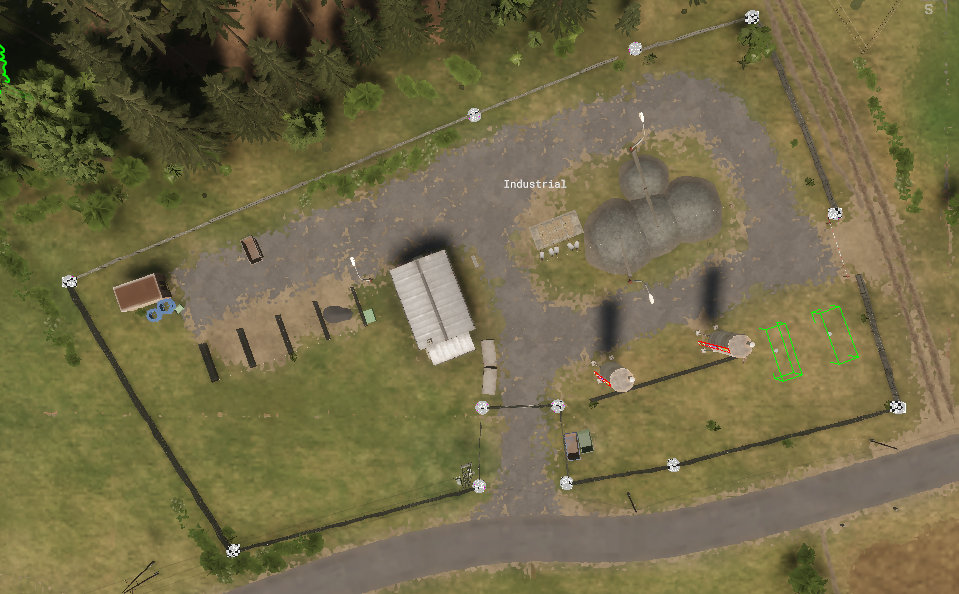](https://wiki.nabla.sh/uploads/images/gallery/2025-08/a9yimage.png)
we also have the prefab that would generate the supplies
[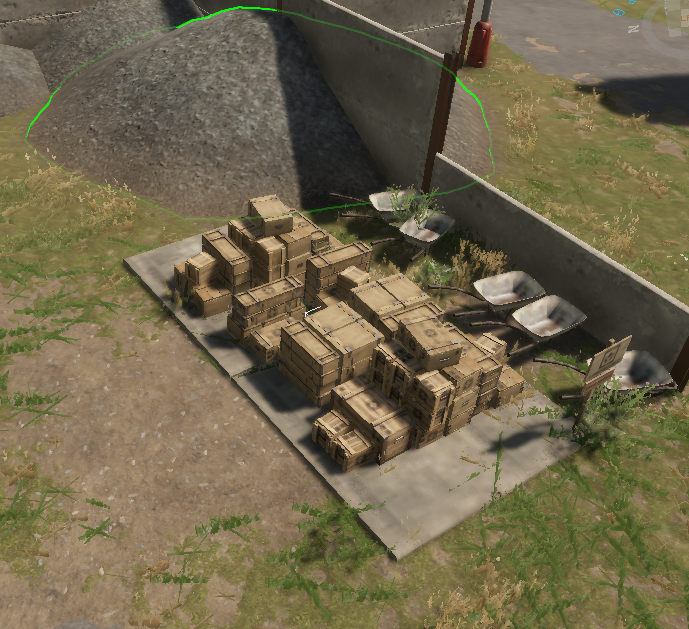](https://wiki.nabla.sh/uploads/images/gallery/2025-08/y5jimage.png)
And some Abient parking spot
[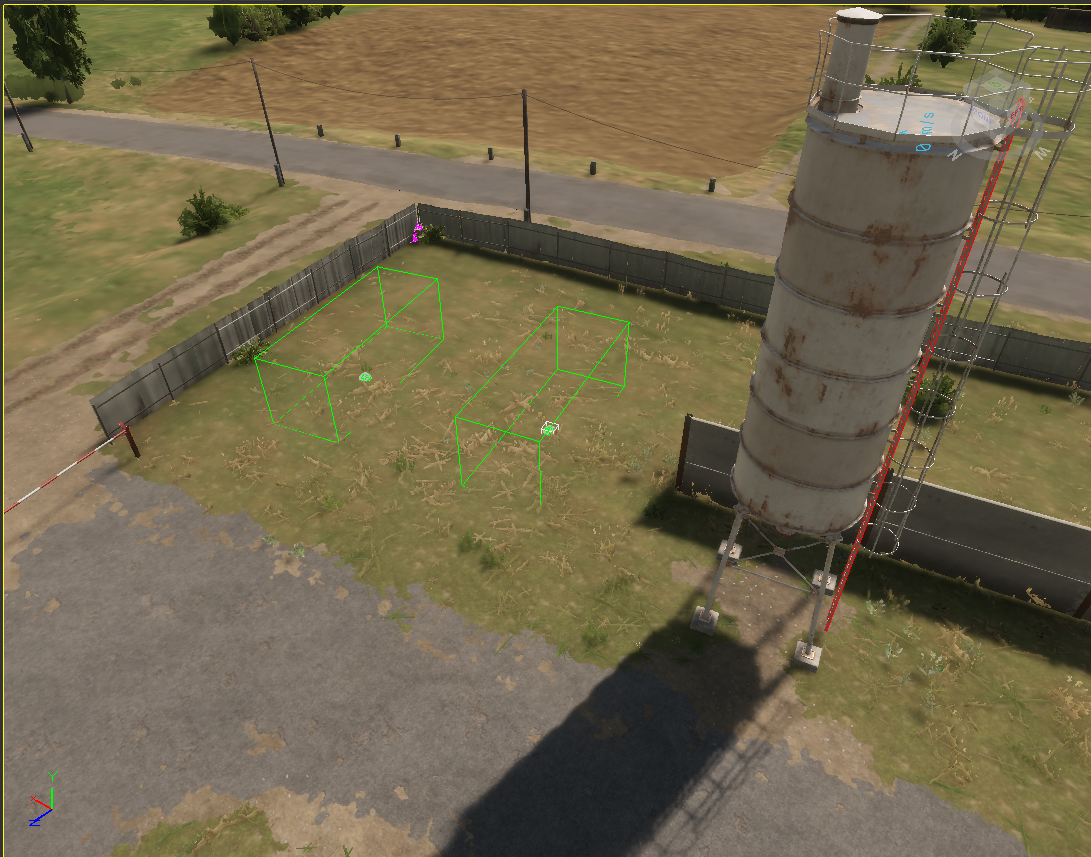](https://wiki.nabla.sh/uploads/images/gallery/2025-08/9W8image.png)
# Define a Town (POI) (exemple with Montiniac on EDEN)
[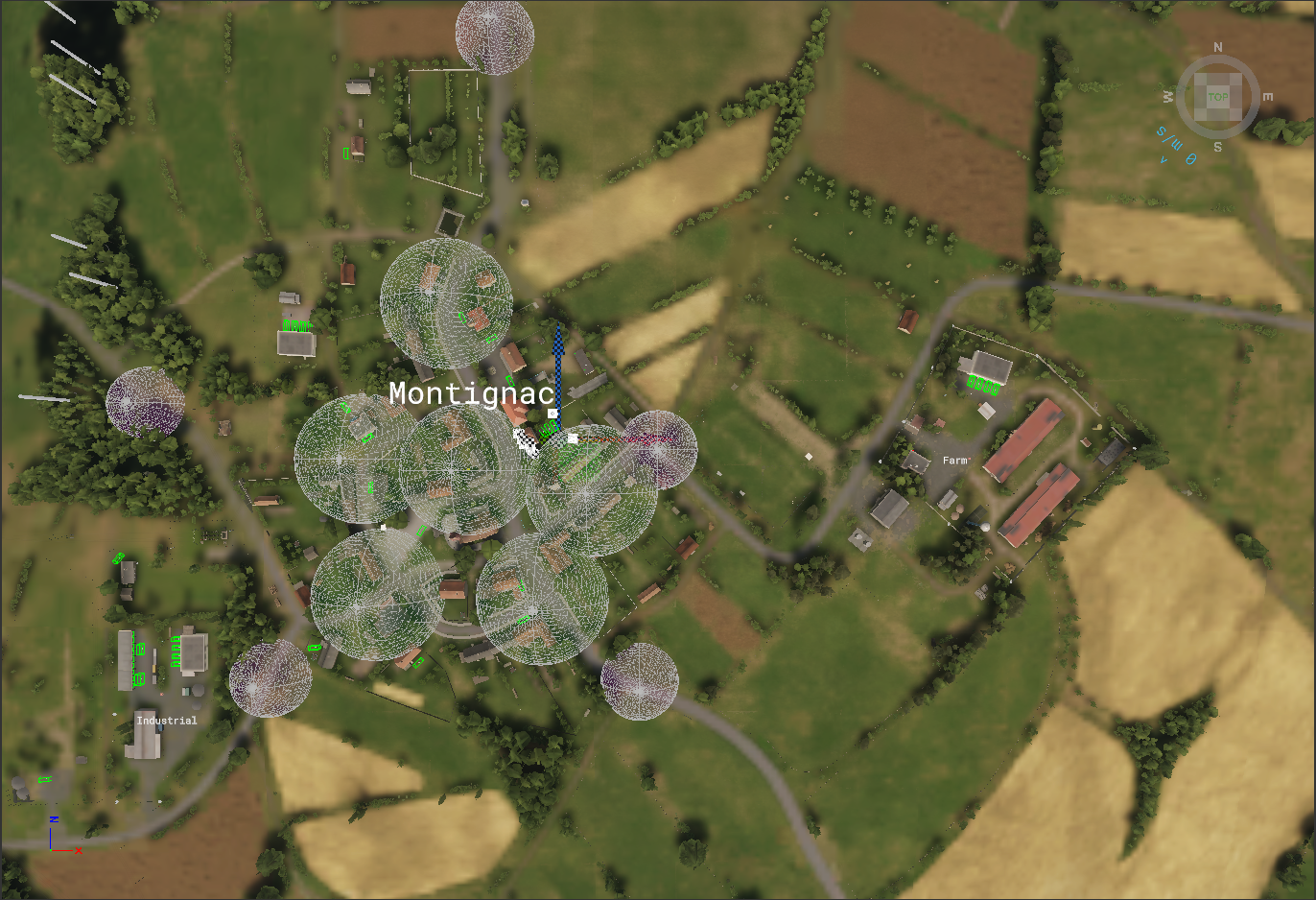](https://wiki.nabla.sh/uploads/images/gallery/2025-08/VMUimage.png)
we can see the first 5 prefab are MCP\_Montignac\_"Directions"[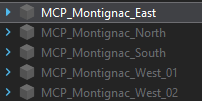](https://wiki.nabla.sh/uploads/images/gallery/2025-08/vlPimage.png)
Theses prefab need to place at all the entry of the city[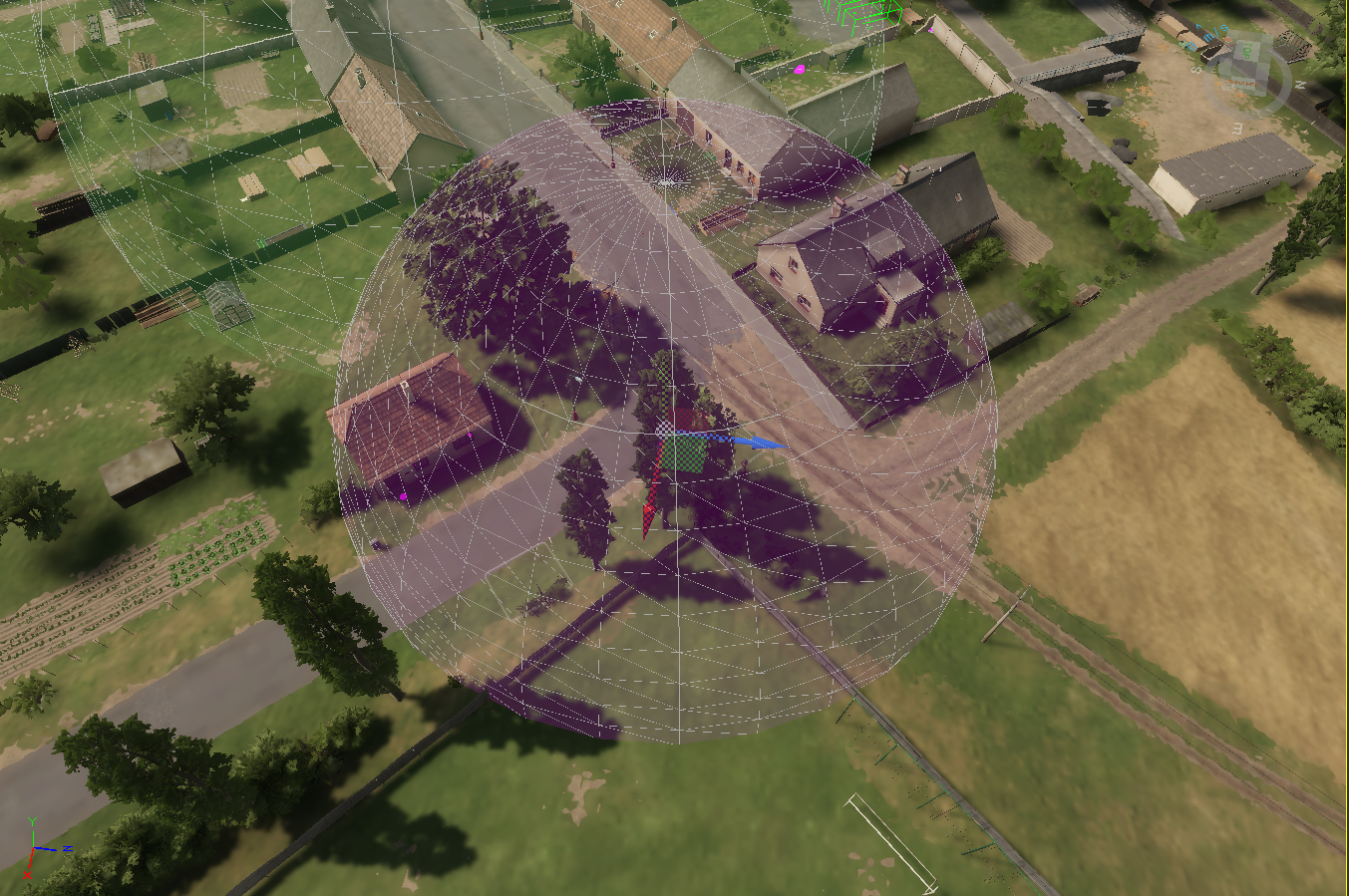](https://wiki.nabla.sh/uploads/images/gallery/2025-08/JH7image.png)
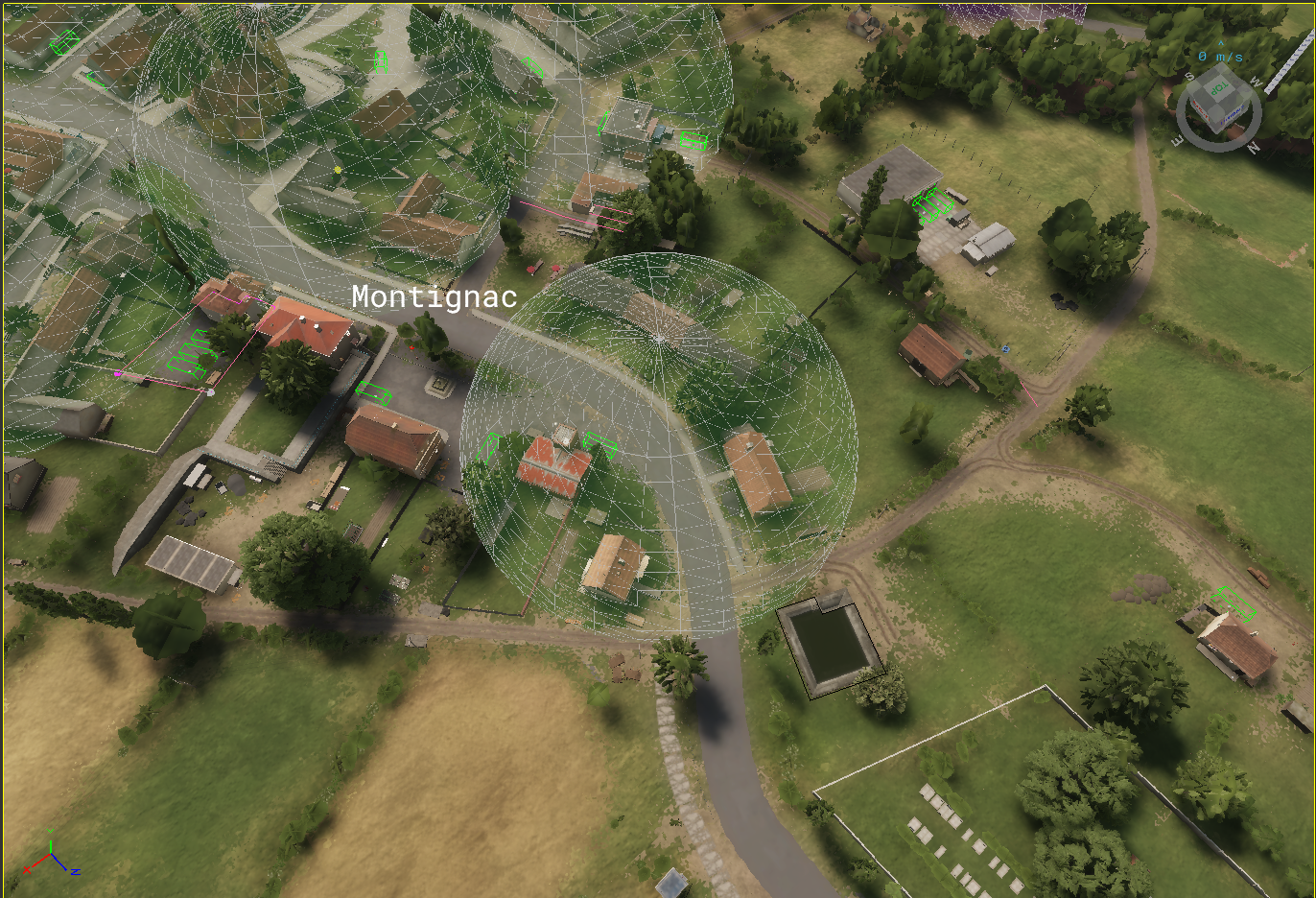
After we see JWK\_AmbientDonationPoint
[](https://wiki.nabla.sh/uploads/images/gallery/2025-08/W2fimage.png)
This seem to be triggering some action when you bring supply on a vehicule to a city
They are placed all around a city in some logic point where the player have to realise that he can donate supplies here (place on the city, pharmacy, shopping mall to be more roleplay)
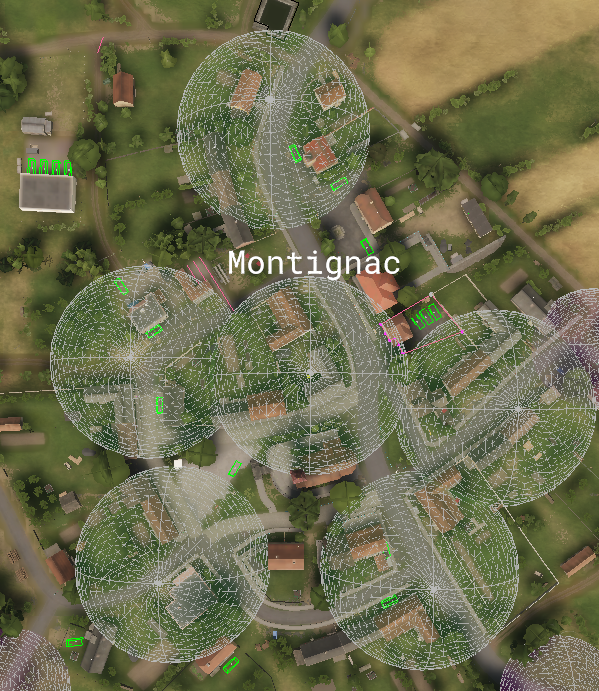
**Jail zones are not required, if there is no extra one then the building will spawn default zone (which covers the building itself only).**
[](https://wiki.nabla.sh/uploads/images/gallery/2025-08/Yqjimage.png)
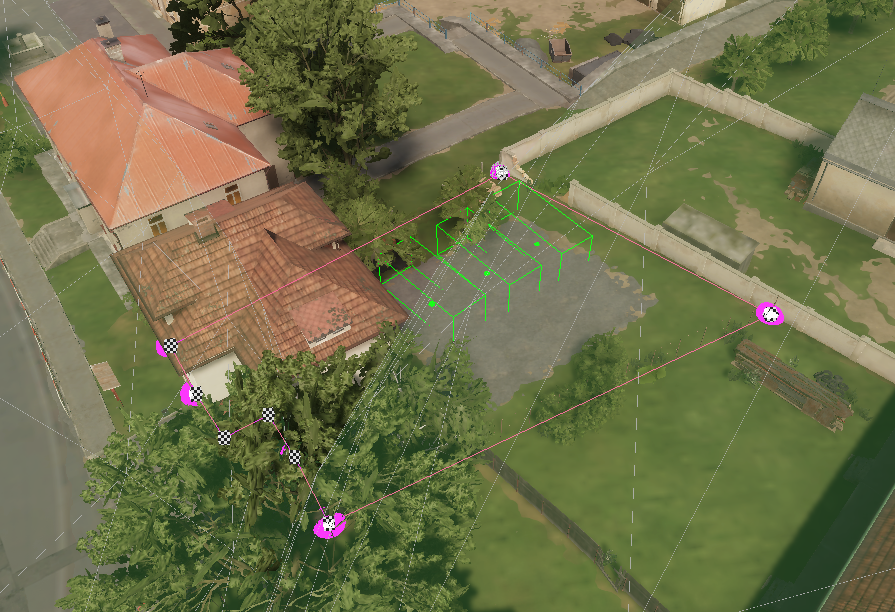
You have to put also a jailzone in each city (seems to be auto generated with thje police building dont bother add zone)
After set the type of the city (City, town, Village) it is recommaend to let a jail only in town and city
[](https://wiki.nabla.sh/uploads/images/gallery/2025-08/4c7image.png)
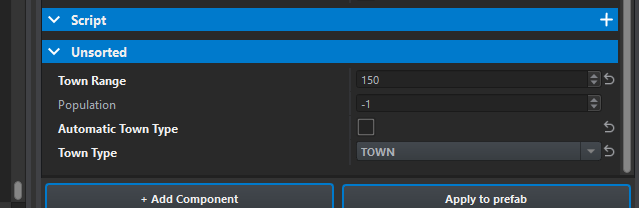
To setup the size of the city:
JWK\_TownController prefab -> JWK\_TownEntity -> at the end of the properties list.
[](https://wiki.nabla.sh/uploads/images/gallery/2025-08/Flcimage.png)
# Public transportation
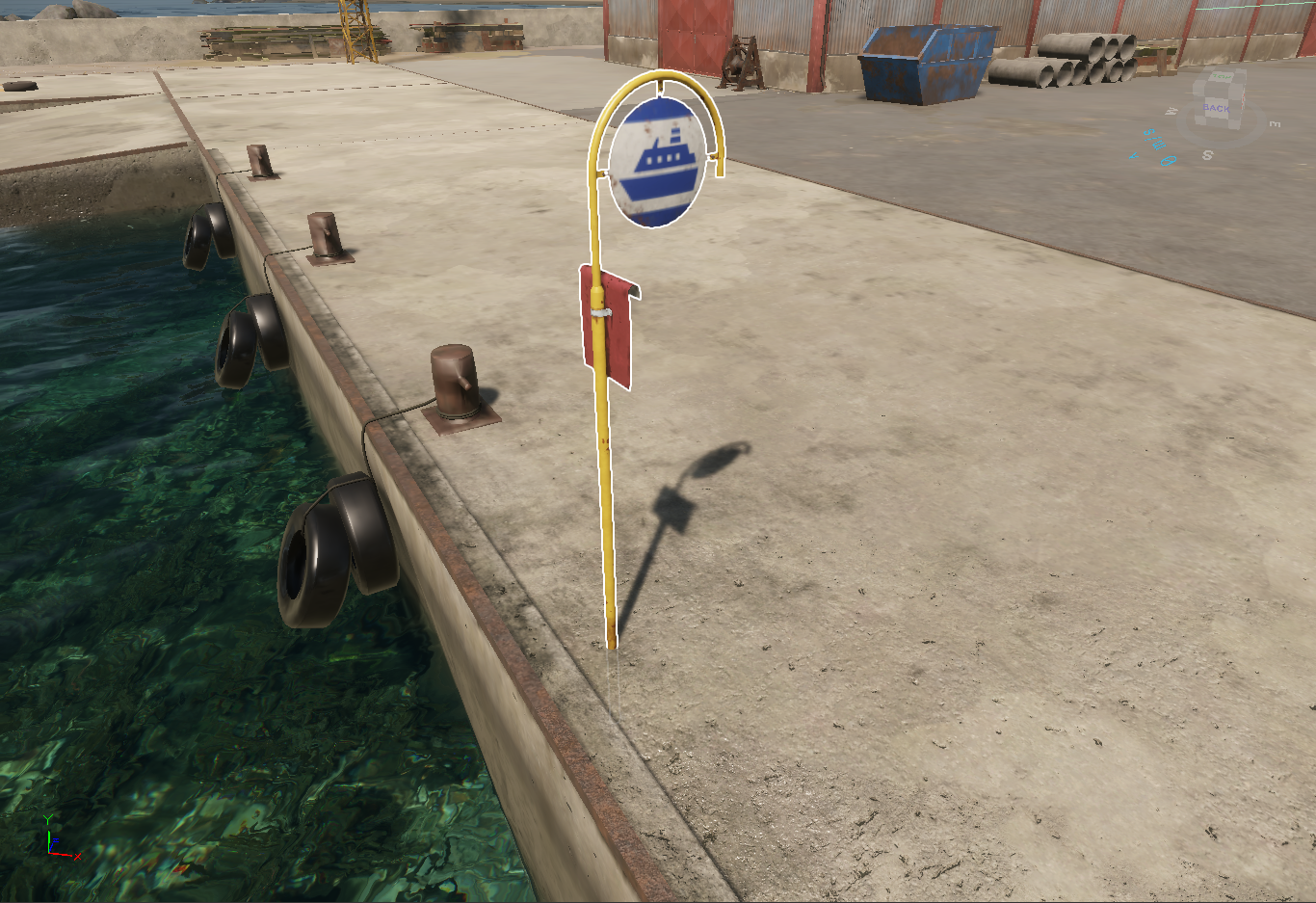
1\. Ferry
you can place down some ferry sign to let people take the boat to get to other palce that have this sign
[https://enfusionengine.com/api/redirect?to=enfusion://ResourceManager/~FreedomFighters:Prefabs/Modded/Structures/Signs/Traffic/SignFerryStop.et](https://enfusionengine.com/api/redirect?to=enfusion://ResourceManager/~FreedomFighters:Prefabs/Modded/Structures/Signs/Traffic/SignFerryStop.et)
[](https://wiki.nabla.sh/uploads/images/gallery/2025-08/rUqimage.png)
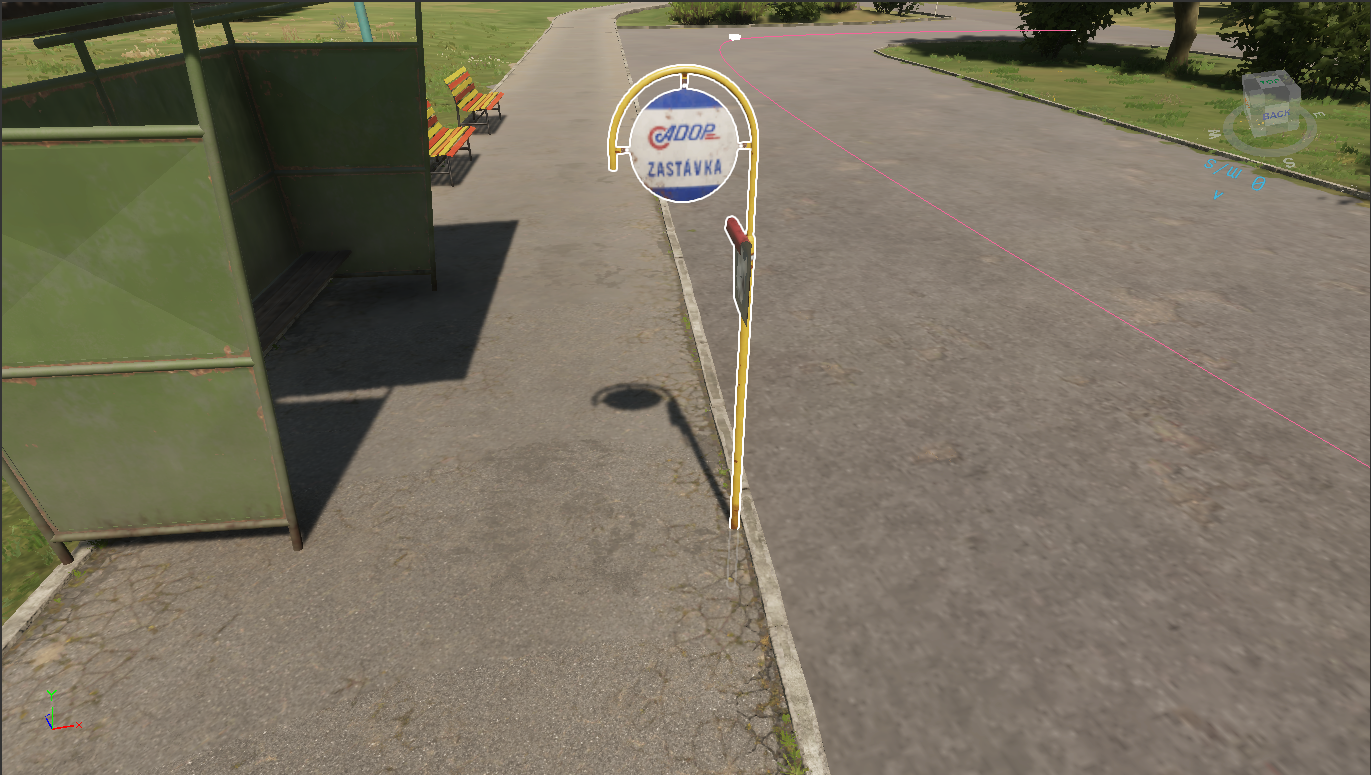
2\. Bus sign
the scenario use automatcly the stop sign that have been placed down in the map by ovveriding the default component
[https://enfusionengine.com/api/redirect?to=enfusion://ResourceManager/~FreedomFighters:Prefabs/Modded/Structures/Signs/Traffic/SignBusStop\_01.et](https://enfusionengine.com/api/redirect?to=enfusion://ResourceManager/~FreedomFighters:Prefabs/Modded/Structures/Signs/Traffic/SignBusStop_01.et)
[](https://wiki.nabla.sh/uploads/images/gallery/2025-08/J8Aimage.png)
You will need to verify if the prefab stop sign you use are the vanilla one or add the component to your bussign
# Define a RadioTowers
you can have two variant:
1\. If the mapp already have radio tower down
2\. If you need to add a radiotower yourself in the map
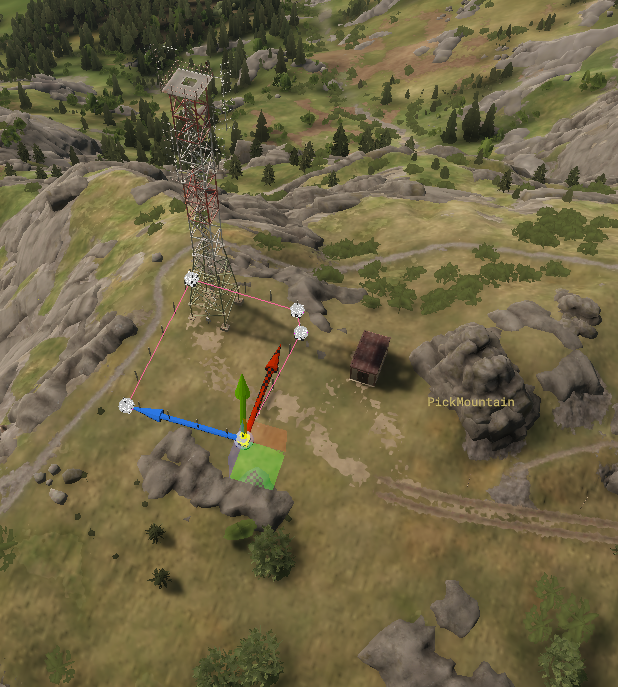
Here the radio is already there and there is a wall around it so we add a poi zone
[https://enfusionengine.com/api/redirect?to=enfusion://ResourceManager/~FreedomFighters:Prefabs/World/JWK\_PolylineWorldZone.et](https://enfusionengine.com/api/redirect?to=enfusion://ResourceManager/~FreedomFighters:Prefabs/World/JWK_PolylineWorldZone.et)
[](https://wiki.nabla.sh/uploads/images/gallery/2025-08/Hj3image.png)
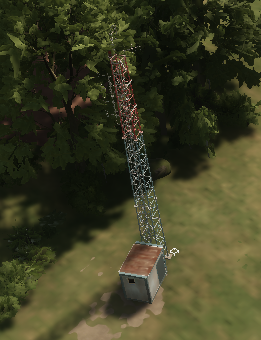
here there is no wall so it juste the component of radio
[https://enfusionengine.com/api/redirect?to=enfusion://ResourceManager/~FreedomFighters:Prefabs/Controllers/Loadtime/JWK\_RadioSiteController.et](https://enfusionengine.com/api/redirect?to=enfusion://ResourceManager/~FreedomFighters:Prefabs/Controllers/Loadtime/JWK_RadioSiteController.et)
[](https://wiki.nabla.sh/uploads/images/gallery/2025-08/3AMimage.png)
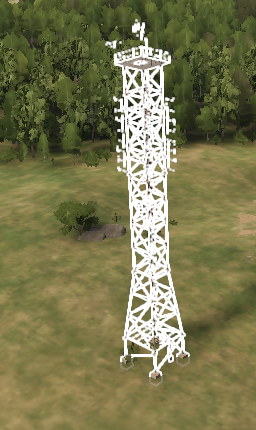
here it was empty so we add the tower prefab + the radio component
[](https://wiki.nabla.sh/uploads/images/gallery/2025-08/xxrimage.png)
[https://enfusionengine.com/api/redirect?to=enfusion://ResourceManager/~FreedomFighters:Prefabs/Modded/Structures/Infrastructure/Towers/TransmitterTower\_01/TransmitterTower\_01\_base.et](https://enfusionengine.com/api/redirect?to=enfusion://ResourceManager/~FreedomFighters:Prefabs/Modded/Structures/Infrastructure/Towers/TransmitterTower_01/TransmitterTower_01_base.et)
or
[https://enfusionengine.com/api/redirect?to=enfusion://ResourceManager/~FreedomFighters:Prefabs/Modded/Structures/Infrastructure/Towers/TransmitterTower\_01/TransmitterTower\_01\_medium\_base.et](https://enfusionengine.com/api/redirect?to=enfusion://ResourceManager/~FreedomFighters:Prefabs/Modded/Structures/Infrastructure/Towers/TransmitterTower_01/TransmitterTower_01_medium_base.et)
or
[https://enfusionengine.com/api/redirect?to=enfusion://ResourceManager/~FreedomFighters:Prefabs/Modded/Structures/Infrastructure/Towers/TransmitterTower\_01/TransmitterTower\_01\_small\_base.et](https://enfusionengine.com/api/redirect?to=enfusion://ResourceManager/~FreedomFighters:Prefabs/Modded/Structures/Infrastructure/Towers/TransmitterTower_01/TransmitterTower_01_small_base.et)
# Define a RemoteSite
[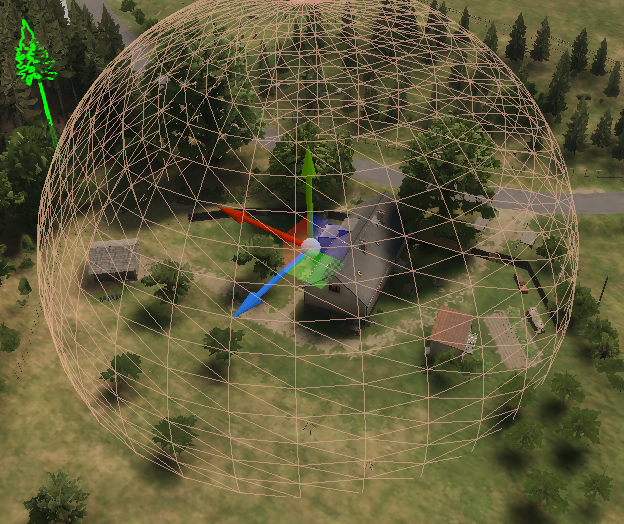](https://wiki.nabla.sh/uploads/images/gallery/2025-08/tzIimage.png)
Remote site are point that are not in the main campagin but still are use for various logic
they are compose of a JRK\_WorkdSlotControllerComponenet
[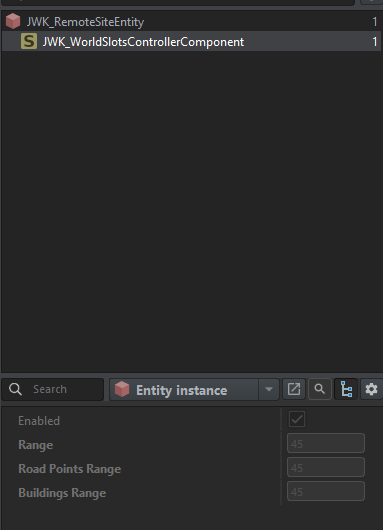](https://wiki.nabla.sh/uploads/images/gallery/2025-08/we2image.png)
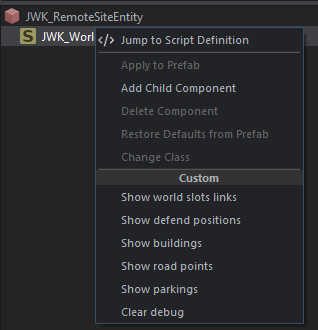
When right click on the compoenent you have a debug menu to help configure it
[](https://wiki.nabla.sh/uploads/images/gallery/2025-08/035image.png)
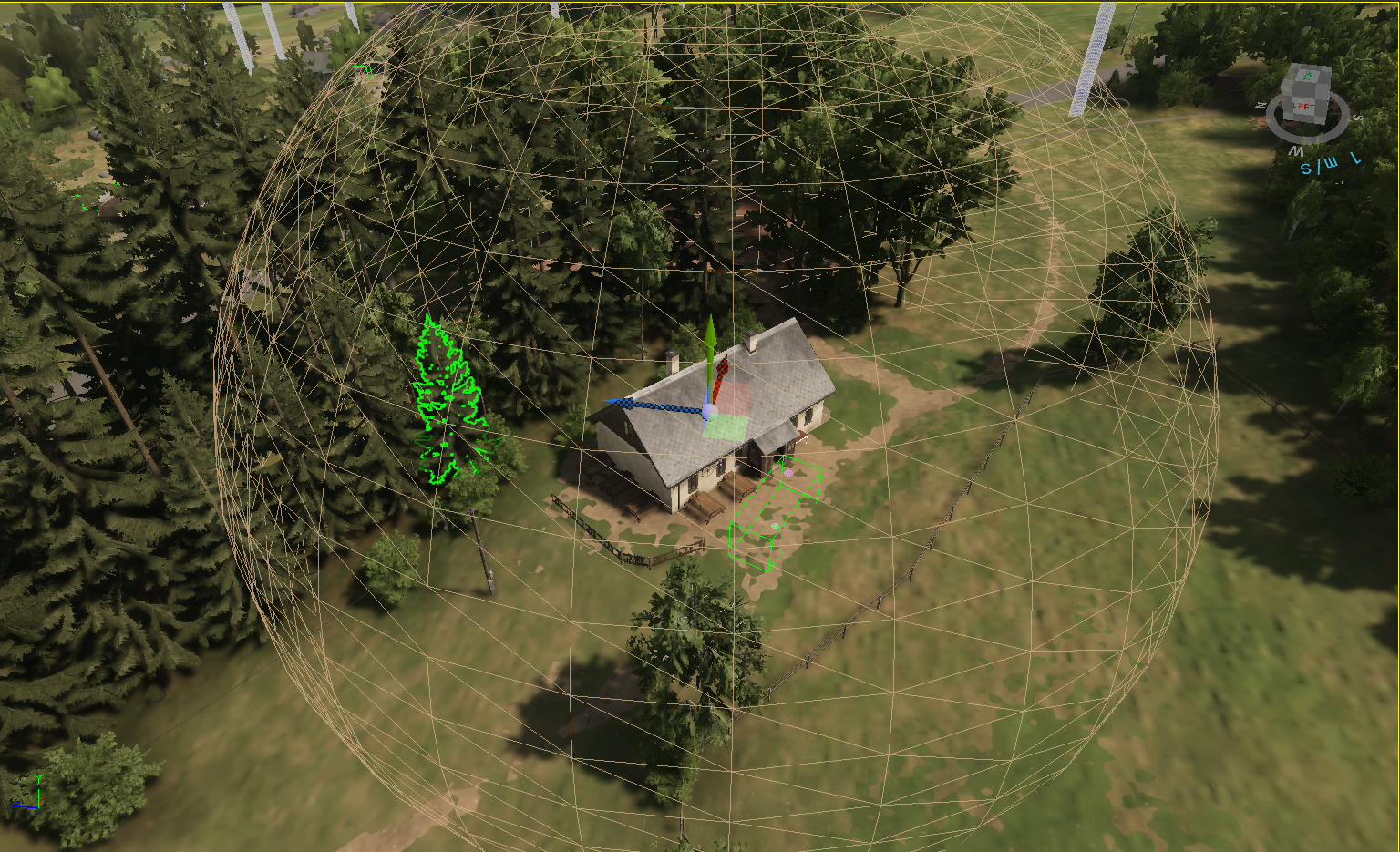
You can sometimes add parking spot if needed
[](https://wiki.nabla.sh/uploads/images/gallery/2025-08/vnpimage.png)
[https://enfusionengine.com/api/redirect?to=enfusion://ResourceManager/~FreedomFighters:Prefabs/Controllers/Loadtime/JWK\_AmbientParkingSpot.et](https://enfusionengine.com/api/redirect?to=enfusion://ResourceManager/~FreedomFighters:Prefabs/Controllers/Loadtime/JWK_AmbientParkingSpot.et)
# Define GenericSlots
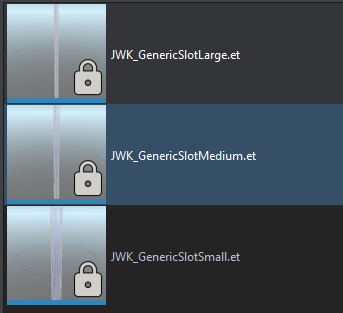
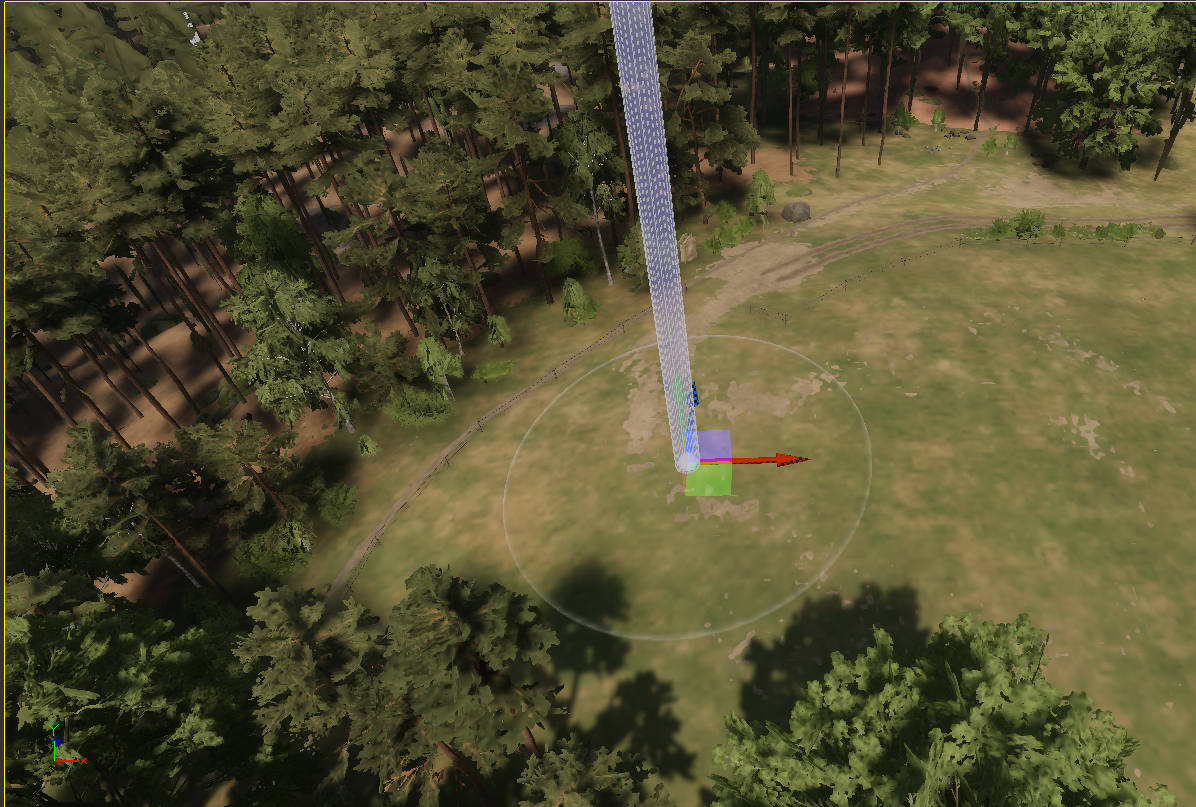
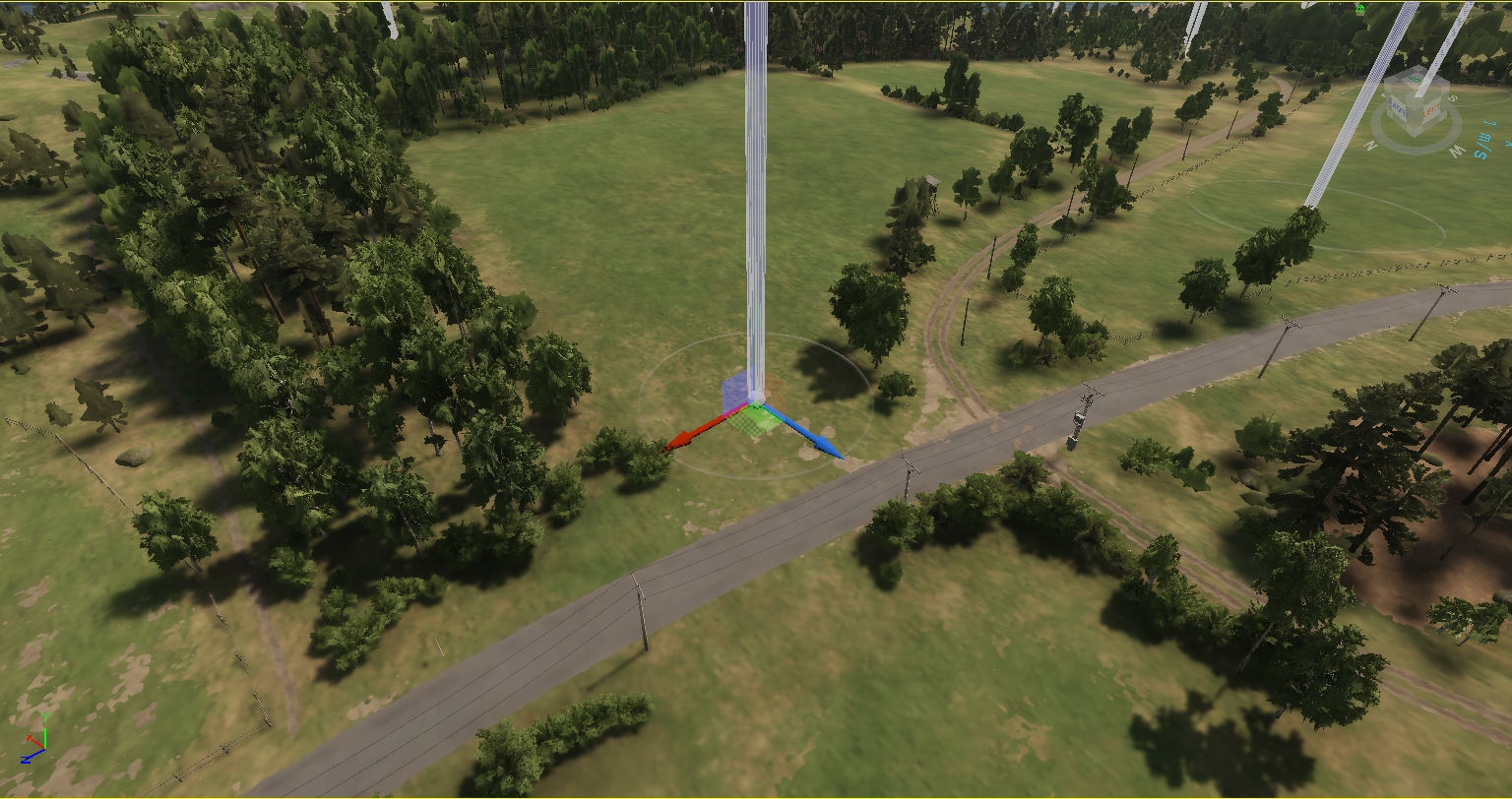
Generic Slot are used to spawn composition regarding quest, ennemy IA building or other. They need to be place around the map in a large quantity to add randomness and help the immersion
there is 3 size of generic slot where the compositon will spoan on them
[](https://wiki.nabla.sh/uploads/images/gallery/2025-08/qGximage.png)
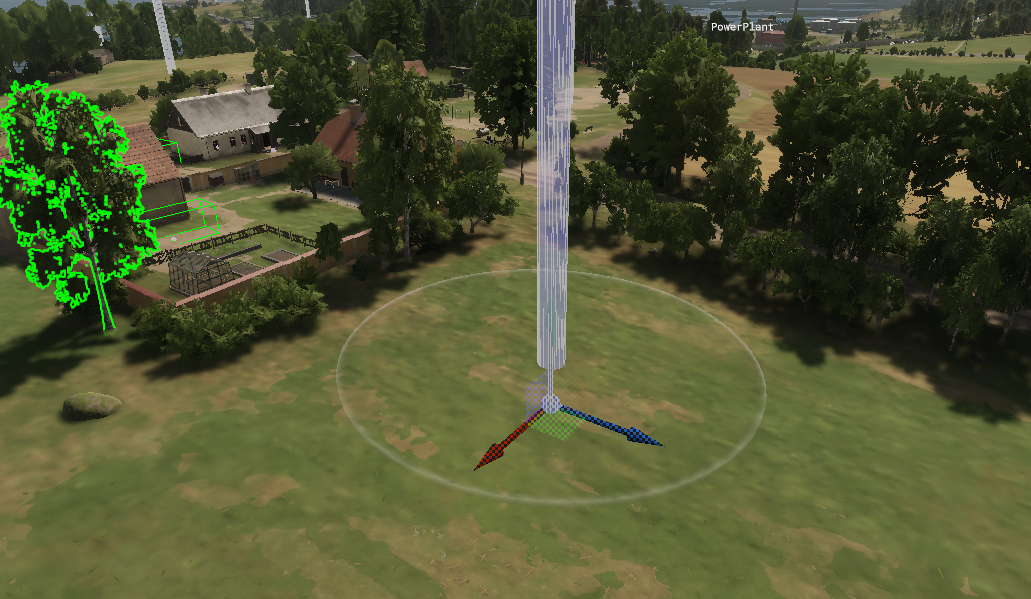
Some exemple of placement
Medium:
[](https://wiki.nabla.sh/uploads/images/gallery/2025-08/mocimage.png)
[](https://wiki.nabla.sh/uploads/images/gallery/2025-08/Pacimage.png)
[](https://wiki.nabla.sh/uploads/images/gallery/2025-08/PC7image.png)
# Common knowledge
\- be carfull we make the zone to not put to much point on your spline to simplfy calcul of the sceanrio
\- bve carfule also of the range beteween the main componenet of a poi (factories/military) and the coords of the zone you have made
# Add a building to the building list
1\. overide the conf file to add the building you want:[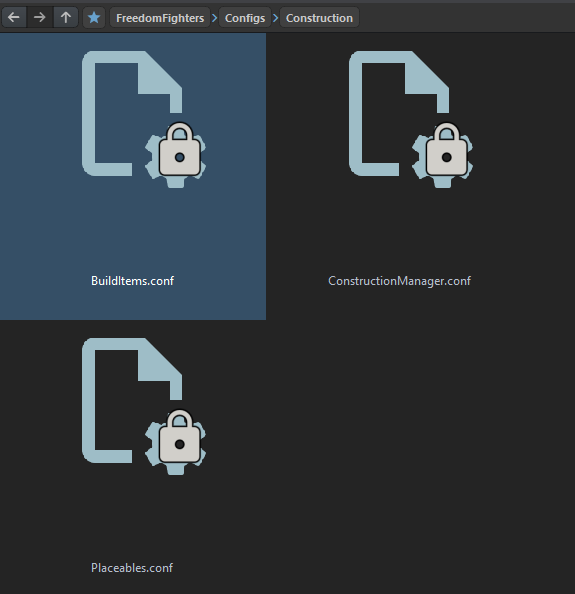](https://wiki.nabla.sh/uploads/images/gallery/2026-01/image.png)
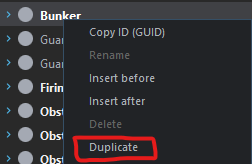
2\. Duplciate a line in the conf to add a new one
[](https://wiki.nabla.sh/uploads/images/gallery/2026-01/QvIimage.png)
Content of a new line:
[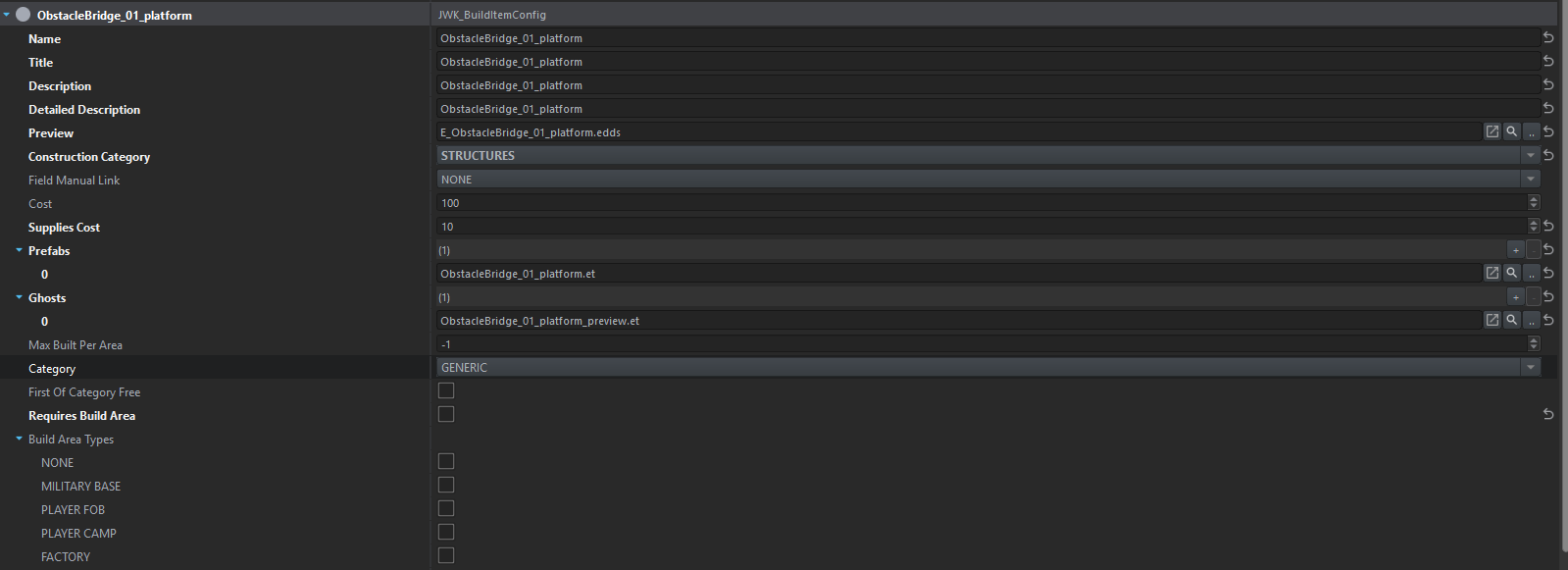](https://wiki.nabla.sh/uploads/images/gallery/2026-01/OF5image.png)
Name: logical name (somethin small and without space or special chartacer)
Title: The name that would be show in the building list
description: teh description when chossing the building to buiuld
Detailed Description: i think it's the one you see while placing the building down
Preview: is the image that will be shown in the catalog while chossing
construction category: [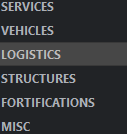](https://wiki.nabla.sh/uploads/images/gallery/2026-01/1qKimage.png)
Field Manual Link: if there is a explanation in the field catalogue you can link it here
Cost: cost in supply of the sctructure
Prefabs: the prefab that will be spawned after building it
Ghosts: the prefab that will be shown in transparants white to help you palcing down the building
First of category Free: the first bulding will be free (like the first supply depot that is free when stating a new game)
Requires Build Area: if the building need to be in a specifi area to be build
Build aere type: link to the previous line is for choosse where you allowed people to build this building[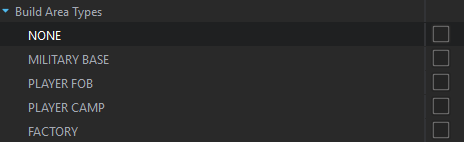](https://wiki.nabla.sh/uploads/images/gallery/2026-01/EU4image.png)
Things you need to do to the prefab to use is coorectly in game:
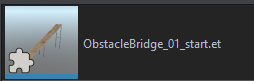
1\. Find the prefab you want to add and overide it
[](https://wiki.nabla.sh/uploads/images/gallery/2026-01/gM6image.png)
Add those 2 coponenet to it: [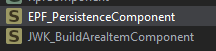](https://wiki.nabla.sh/uploads/images/gallery/2026-01/w44image.png)
and config it:
For EPF\_PersitenceComponent
[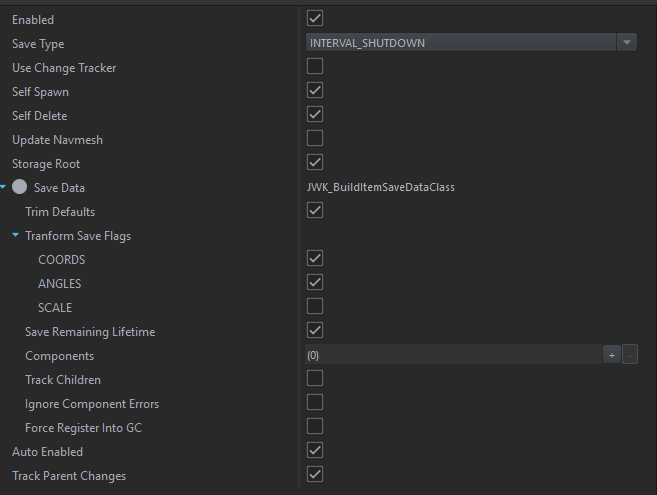](https://wiki.nabla.sh/uploads/images/gallery/2026-01/xhdimage.png)
And for JWK\_BuildingAreaItemCOmpoennet
[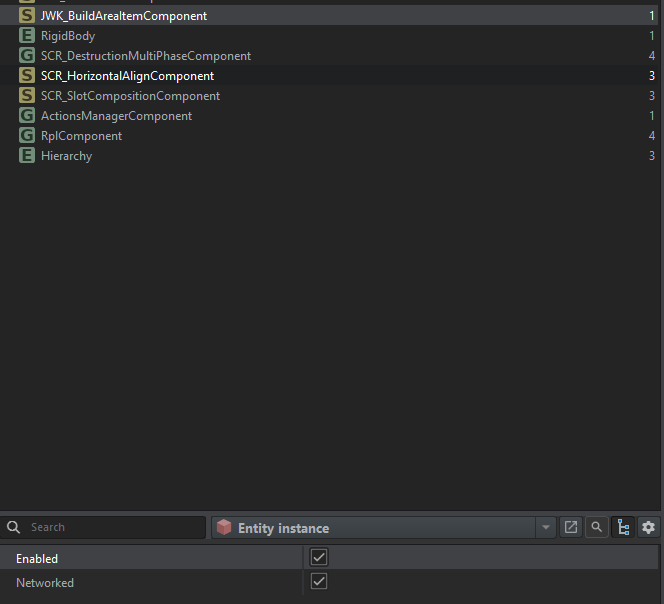](https://wiki.nabla.sh/uploads/images/gallery/2026-01/Edcimage.png)
with that your prefab should spawn after confirm the location
But for the ghost you will need to inherit the prefab you jsut overide and add preview ad the end to find it easily[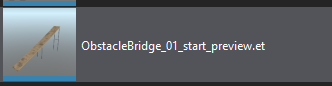](https://wiki.nabla.sh/uploads/images/gallery/2026-01/ZOIimage.png)
And you will need to desactivate the two compnent you jsut add [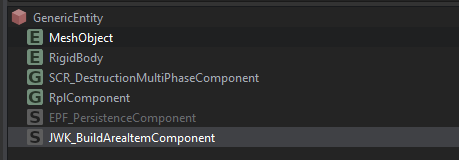](https://wiki.nabla.sh/uploads/images/gallery/2026-01/mYGimage.png)
It is important because withotu that you will have some bug of spawning and some bug of persitence
be sure in your conf file to put the right prefab you just modify / created
[](https://wiki.nabla.sh/uploads/images/gallery/2026-01/wZkimage.png)