# Import and use a custom font
the idea of this tutorial is to import and use a custom font for your mod
1\. you will need to downlod your font in the ttf format
2\. move your font in a folder into your mod
[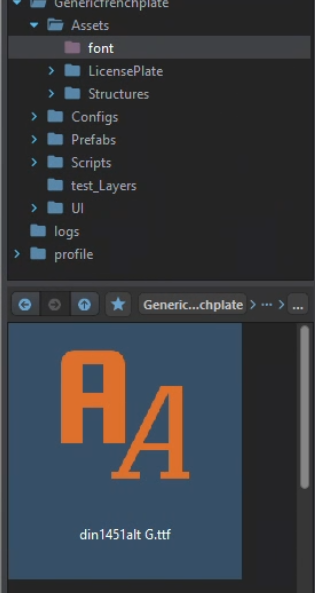](https://wiki.nabla.sh/uploads/images/gallery/2024-11/zgrimage.png)
3.Open by double click on your font to open this window
[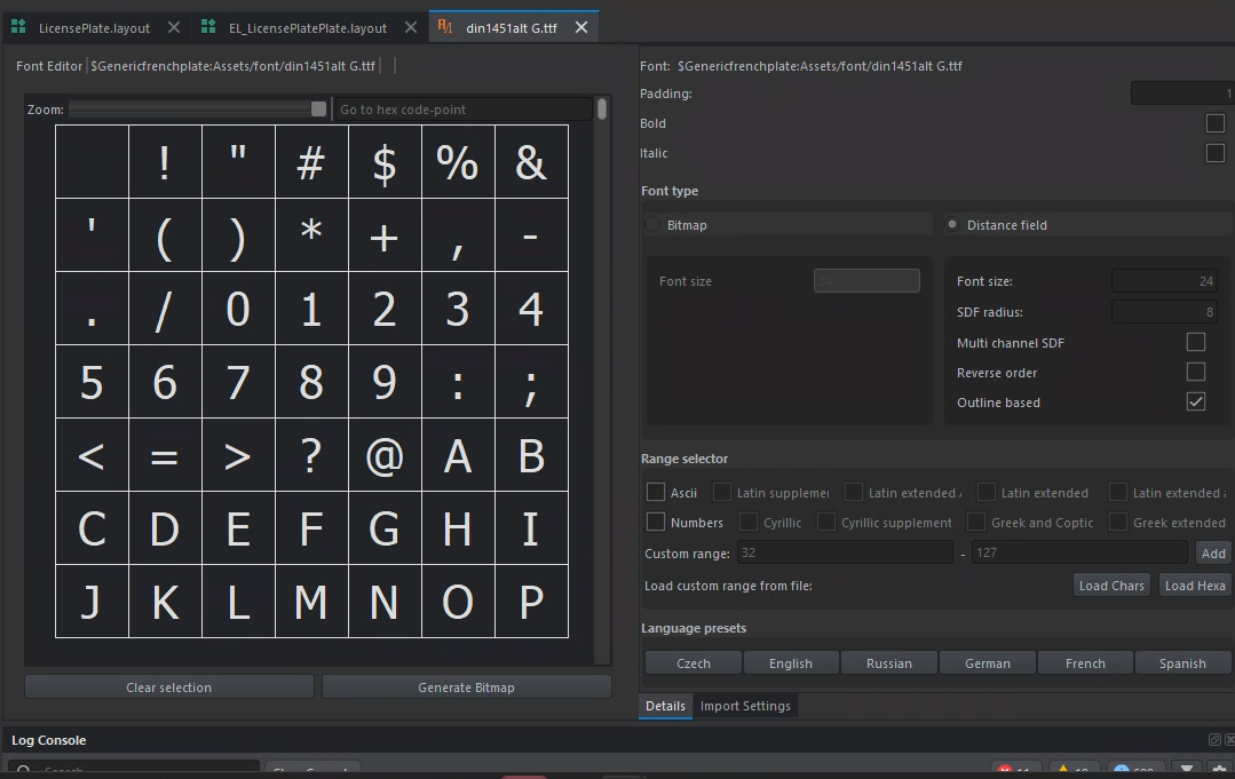](https://wiki.nabla.sh/uploads/images/gallery/2024-11/vO6image.png)
4. selected all the case
[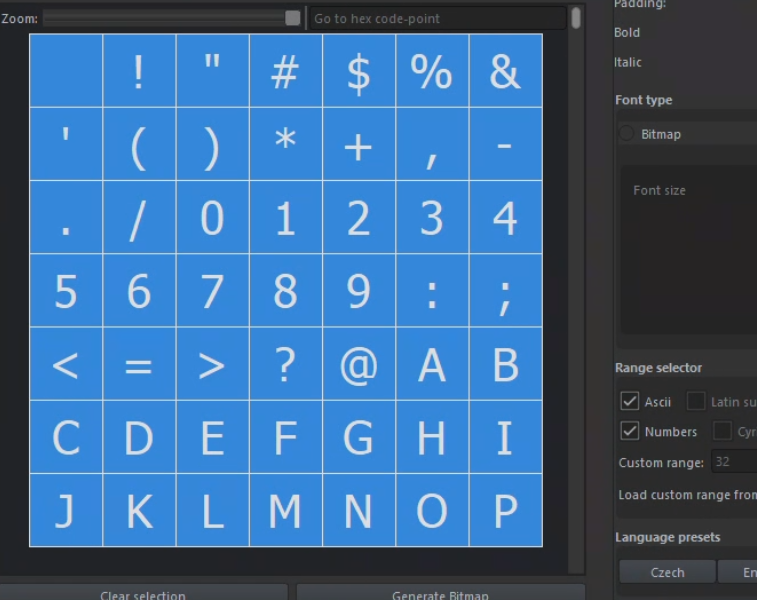](https://wiki.nabla.sh/uploads/images/gallery/2024-11/8Nmimage.png)
5\. clique on the generate bitmap button
you should have a result like that
[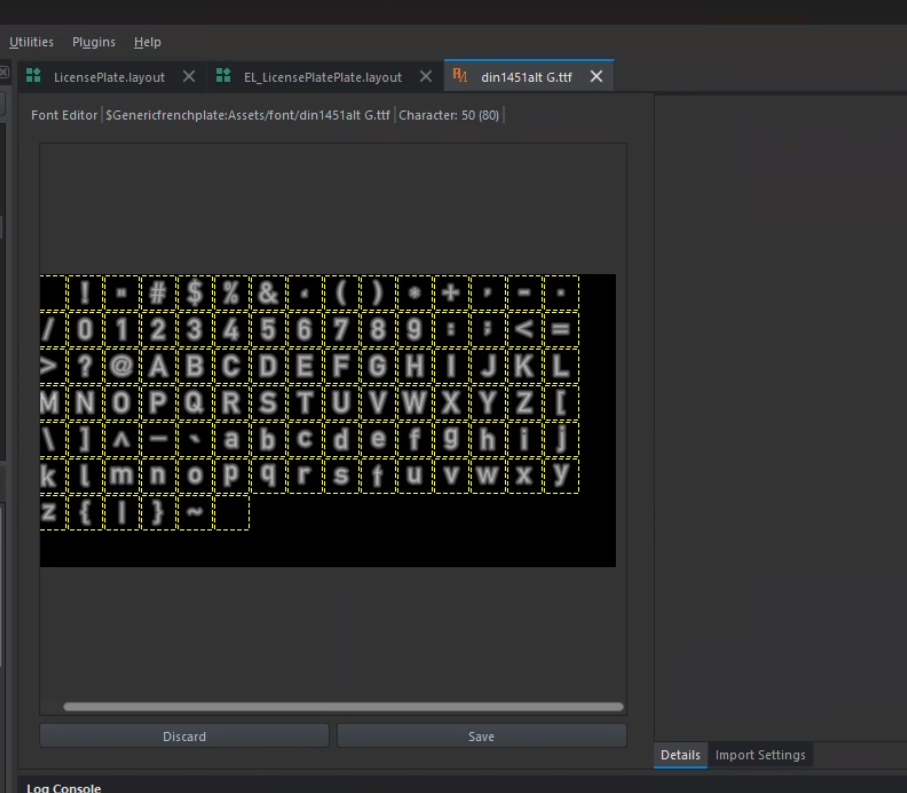](https://wiki.nabla.sh/uploads/images/gallery/2024-11/vgvimage.png)
6\. save you work you should have a file liek this: yourfont.nft
7\. register your .nft that you jsut created
8. put it in the custom propeties
[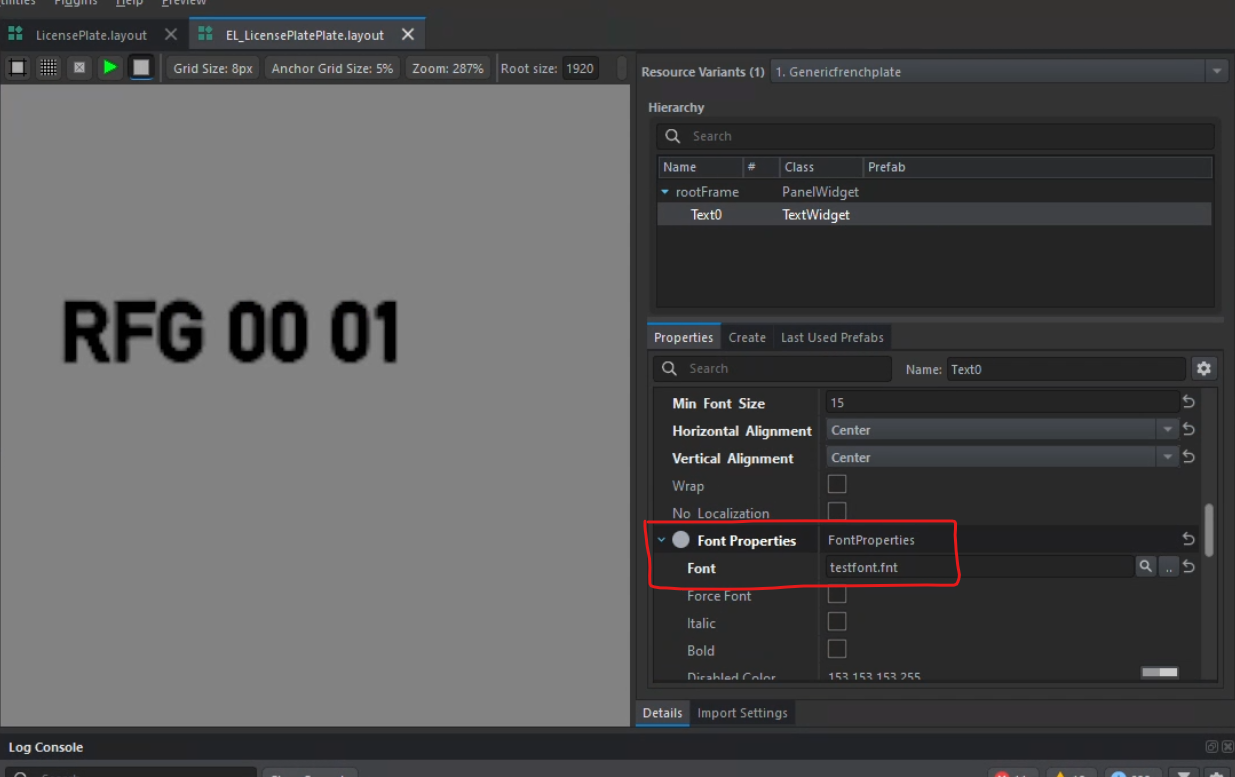](https://wiki.nabla.sh/uploads/images/gallery/2024-11/MHBimage.png)