Pro Tips
Various tutorial on radom thing
they might be relocated in other category if an other place suit them better
Bake a road
Here is a tutorial on how to "Bake" a road to work more finely on the terrain.
To do this, simply place a road.
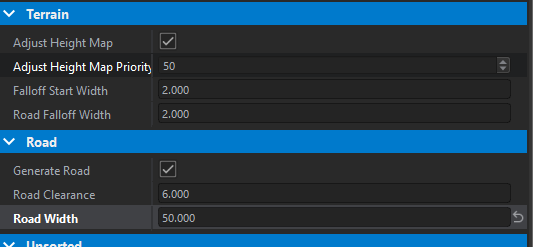
Then, you need to adjust the size of the road (if it's set to 12 by default, why not change it to 20) depending on what you want to achieve.
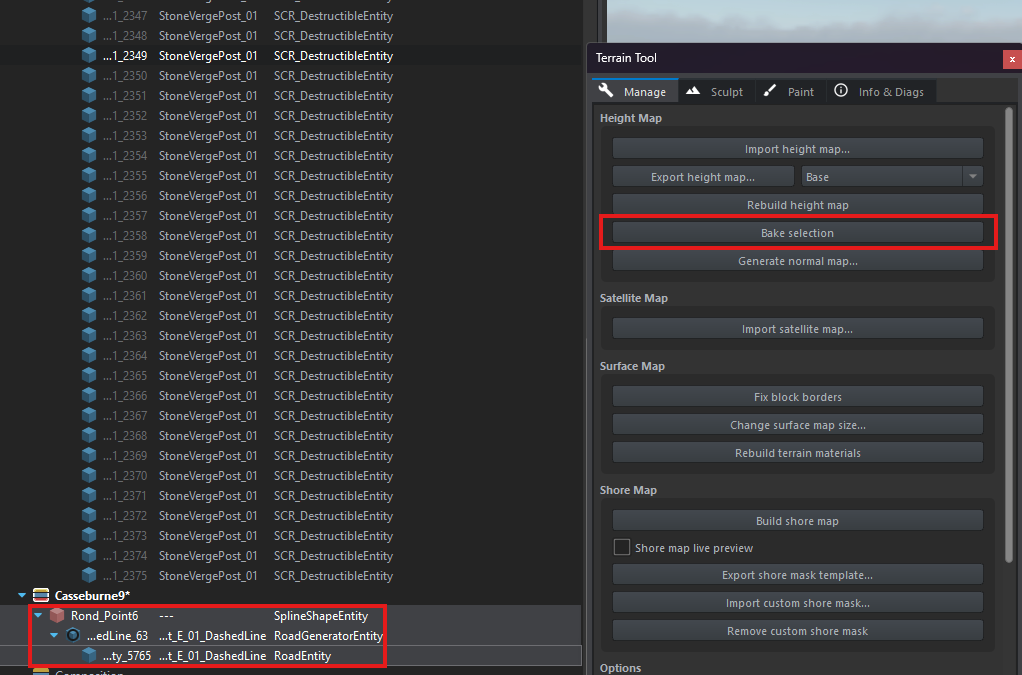
After that, select the spline, the generator, and the road entity → terrain tool → bake selection.
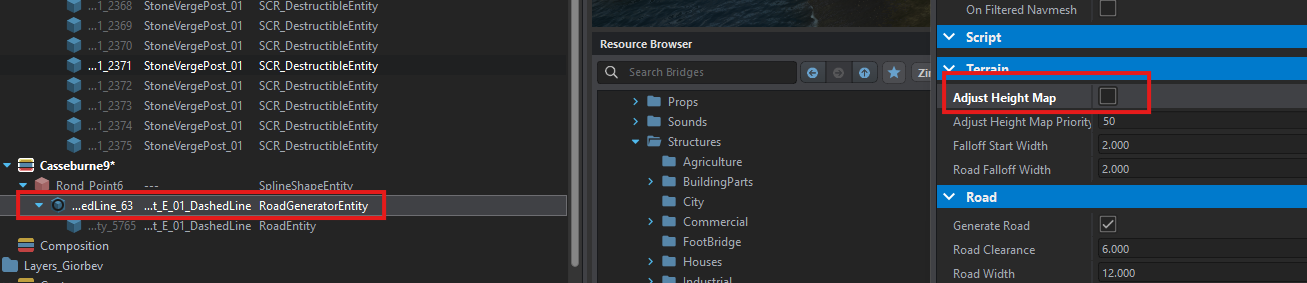
The selection is now baked. All that's left to do is to reset the size to default and uncheck Adjust Height Map.
Import and use a custom font
the idea of this tutorial is to import and use a custom font for your mod
1. you will need to downlod your font in the ttf format
2. move your font in a folder into your mod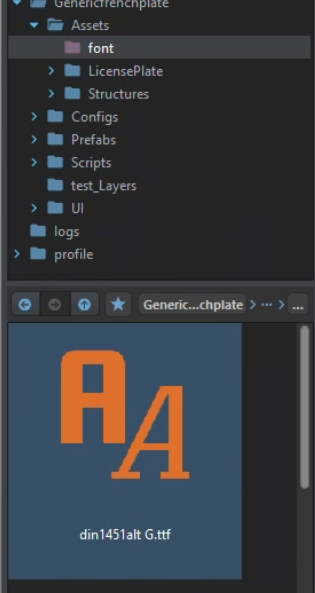
3.Open by double click on your font to open this window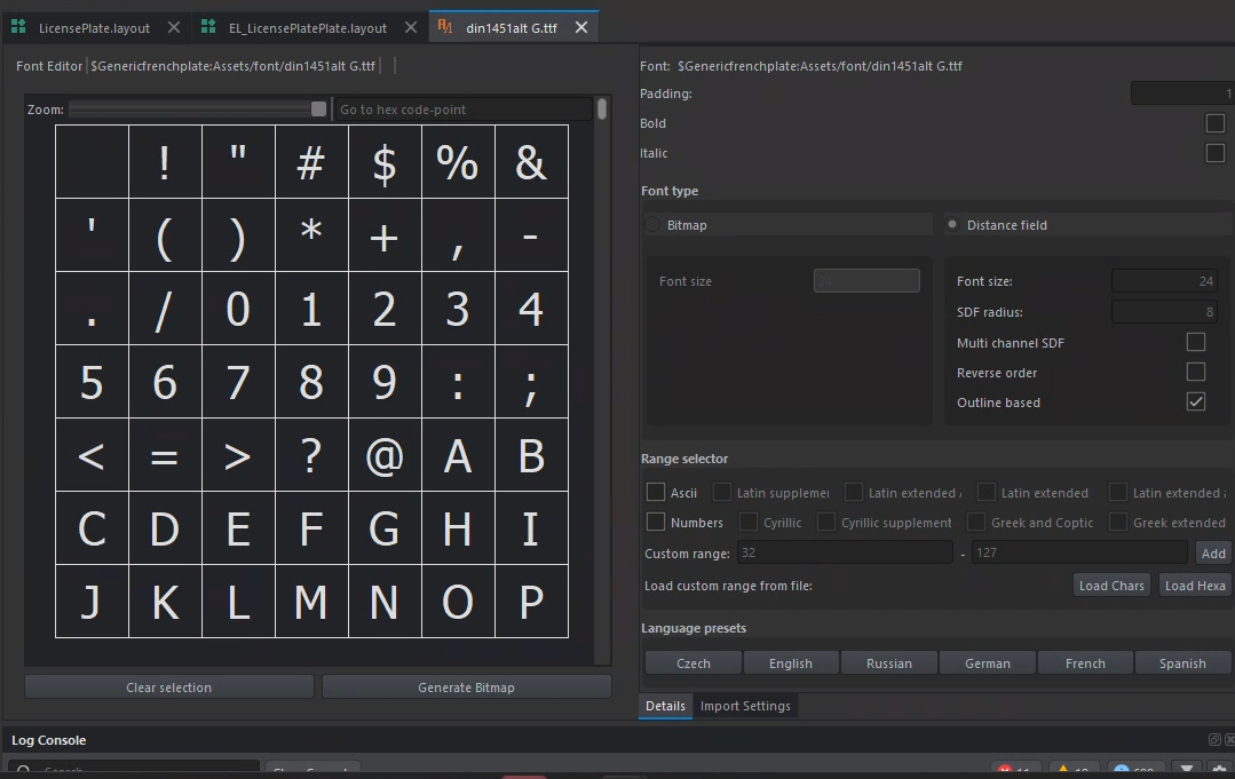
4. selected all the case
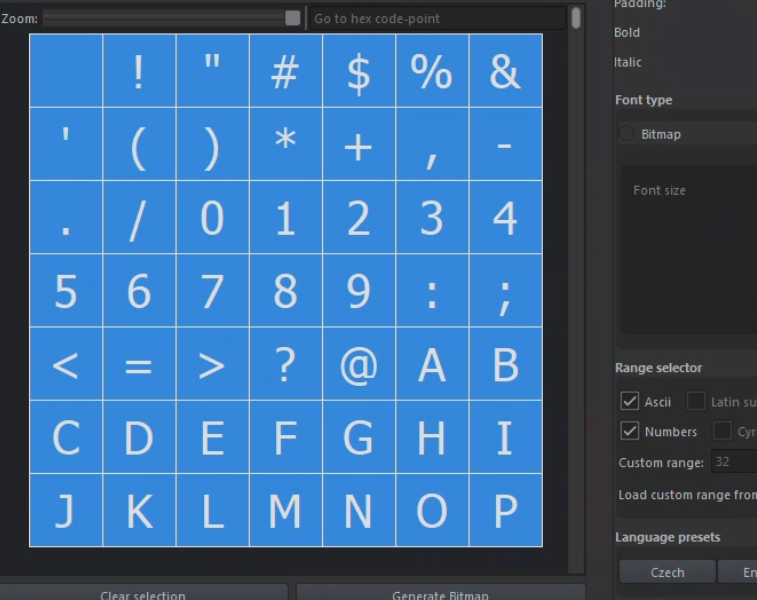
5. clique on the generate bitmap button
you should have a result like that
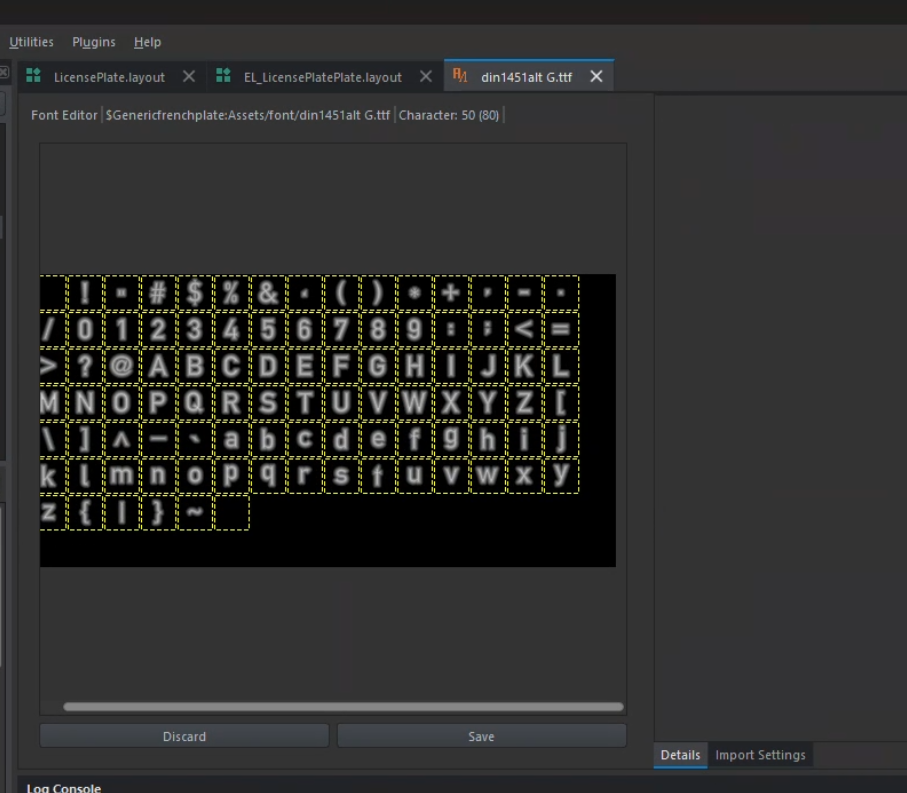
6. save you work you should have a file liek this: yourfont.nft
7. register your .nft that you jsut created
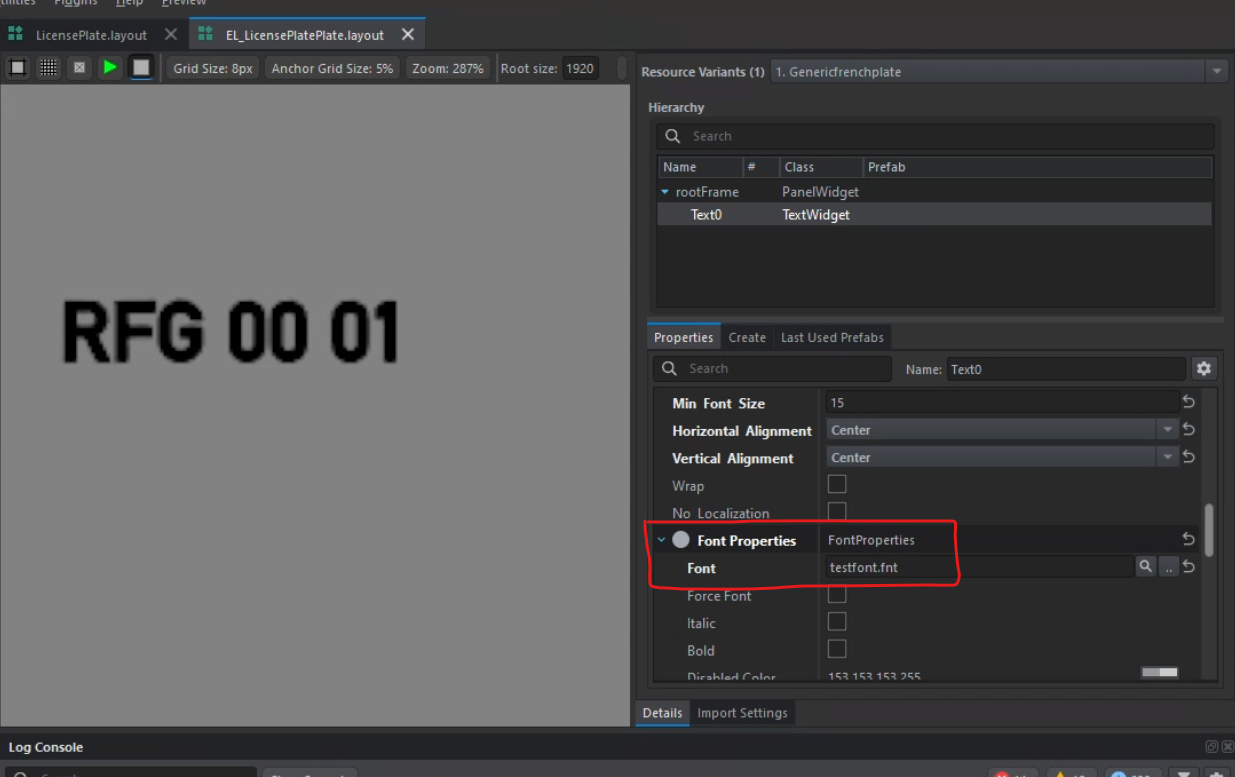
8. put it in the custom propeties