# What are occluders, and do I need them ?
Basically, occluders are invisible volumes in a scene that hide everything behind them.
They are used for occlusion culling, a rendering feature that hides occluded objects to save performance.
In Enfusion, you can meet occluders in 3 basic forms:
1. ****Terrain Occlusion****
This is the most important form of occlusion culling.
It ensures that all objects which are completely hidden by terrain (for example, because they are behind a big hill) do not have to be rendered by your GPU, resulting in an FPS increase.
Since Enfusion now has an automatic terrain occlusion system, you do not have to enable terrain occlusion yourself.
However, when creating a terrain, terrain occlusion can still be an important thing to consider: A hilly landscape will usually be more performance friendly than a completely flat one, because hills will occlude many objects.
2. ****Manual Occlusion****
Before automatic terrain occlusion was a thing, we had to set up occluders manually using WorldOccluderEntities. These were volumes placed in the world, usually within hills, to achieve the same effect as described above.
Today, these are not just no longer necessary, but also broken and won’t do anything.
update (november 2024)
seem that bohemia abandoned the manual occlusion object, for the model occlusion to be able to place down a manual oclusion you will need to create a ghost model (bacon help me to create one and have successfuly test it)
[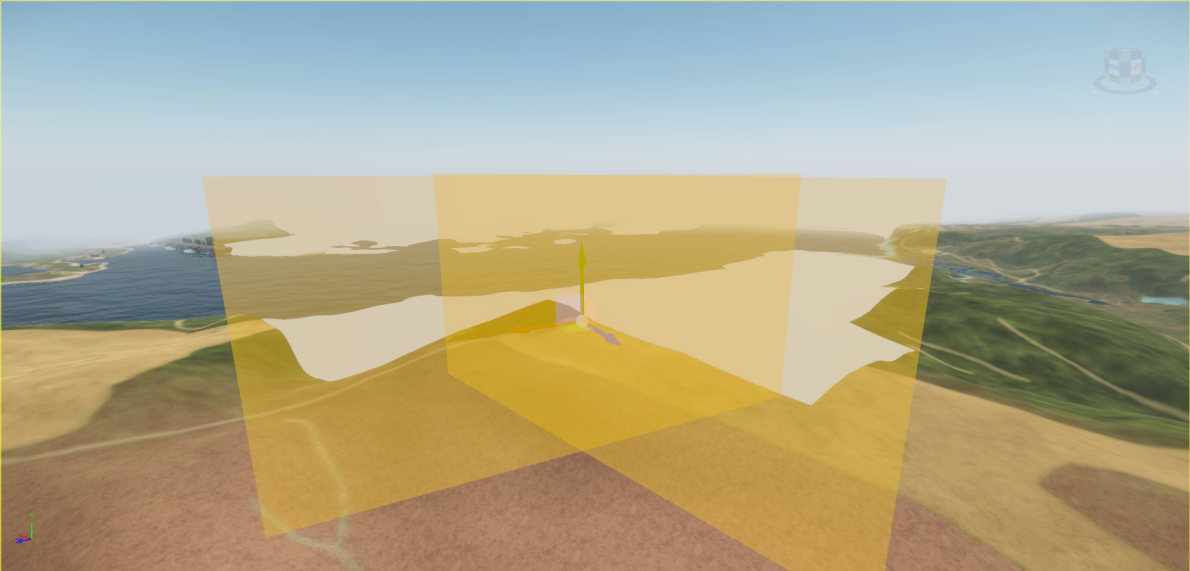](https://wiki.nabla.sh/uploads/images/gallery/2024-11/w8Zimage.png)
[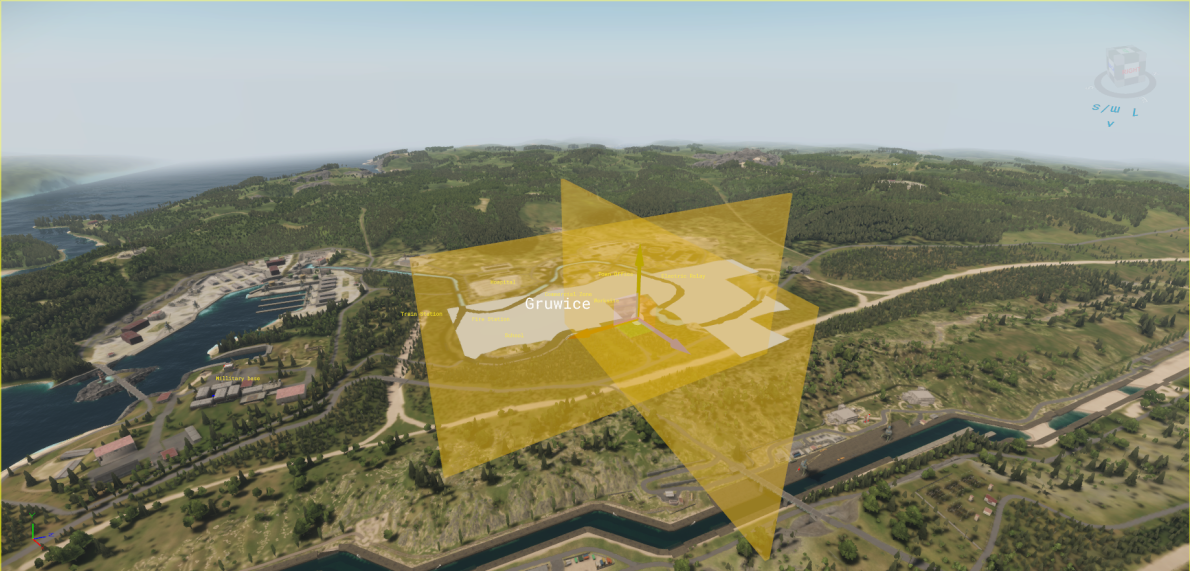](https://wiki.nabla.sh/uploads/images/gallery/2024-11/FtAimage.png)
here the model from bacon:
[occluder\_1kx500mx10m.fbx](https://wiki.nabla.sh/attachments/1)1. ****Model Occlusion****
When importing custom 3D models such as buildings from Blender into the Workbench, you can set up model occluders.
These are volumes placed e. g. within large, opaque walls of houses, resulting in occlusion of what is behind these walls.
This can help with performance especially in urban areas, which may lack other sources of occlusion.
Instructions of how to create them can be found [here](https://community.bistudio.com/wiki/Arma_Reforger:FBX_Import#Occluders). If you open up XOBs made by BI in the Workbench, you will also find some good examples.
While not essential for practical application, if you want to improve your technical knowledge on occlusion culling, I highly recommend watching [this video](https://youtu.be/CHYxjpYep_M).