During a failed import or a mistake, the Workbench might encounter a crash error that gets recorded in the cache, causing it to crash instantly every time you open your mod.
[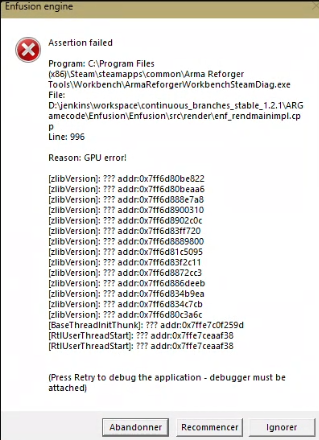](https://wiki.nabla.sh/uploads/images/gallery/2025-01/V3jimage.png) **Example of an error message you might encounter.** ##### 1. Try creating a new mod and importing your 3D models (this helps determine if your model is causing the Workbench to crash) The Workbench may crash if your model has too many faces/vertices or if it is too detailed. If you can use your model in another mod, then the cache of your mod is likely corrupted. ##### 2. Reset the Workbench settings and clear the Workbench cache. In Steam, you will add the startup parameter. "-clearSettings" link on how to do it: [https://help.steampowered.com/fr/faqs/view/7D01-D2DD-D75E-2955#:~:text=Trouvez%20le%20jeu%20dans%20votre,propri%C3%A9t%C3%A9s%2C%20puis%20lancez%20le%20jeu.](https://help.steampowered.com/fr/faqs/view/7D01-D2DD-D75E-2955#:~:text=Trouvez%20le%20jeu%20dans%20votre,propri%C3%A9t%C3%A9s%2C%20puis%20lancez%20le%20jeu.) Launch your mod, and it should work properly.Be careful not to forget to remove the argument afterward to avoid resetting your settings every time you start the Workbench.