New Game +
Introduction
Today we gonna see how to create a Enfusion project ! It's look like useless but i've seen a lot of people who don't know how to set-up correctly a projet 👀.
1. Create a new project in Workbench
You just have to do right click and create a new project, a window like that will appear
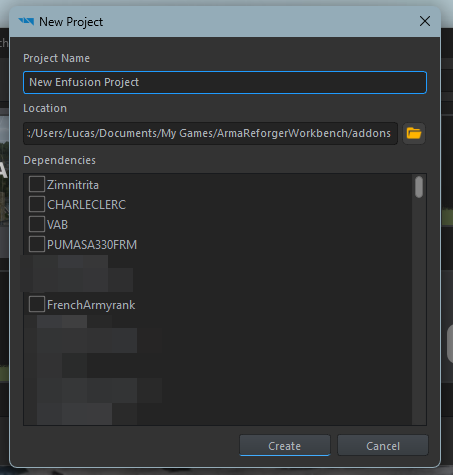
Name your project (for the tutorial, it will be New Enfusion Project but attention, you can't rename a project easly so choose a good name for your 1st project).
Warning: Be careful with dependencies, it can break your addon if Bohemia Interactive publish a Arma Reforger update who will not be compatible with a dependence or if the author of a dependancies decides to delete his addon from the workshop for example.
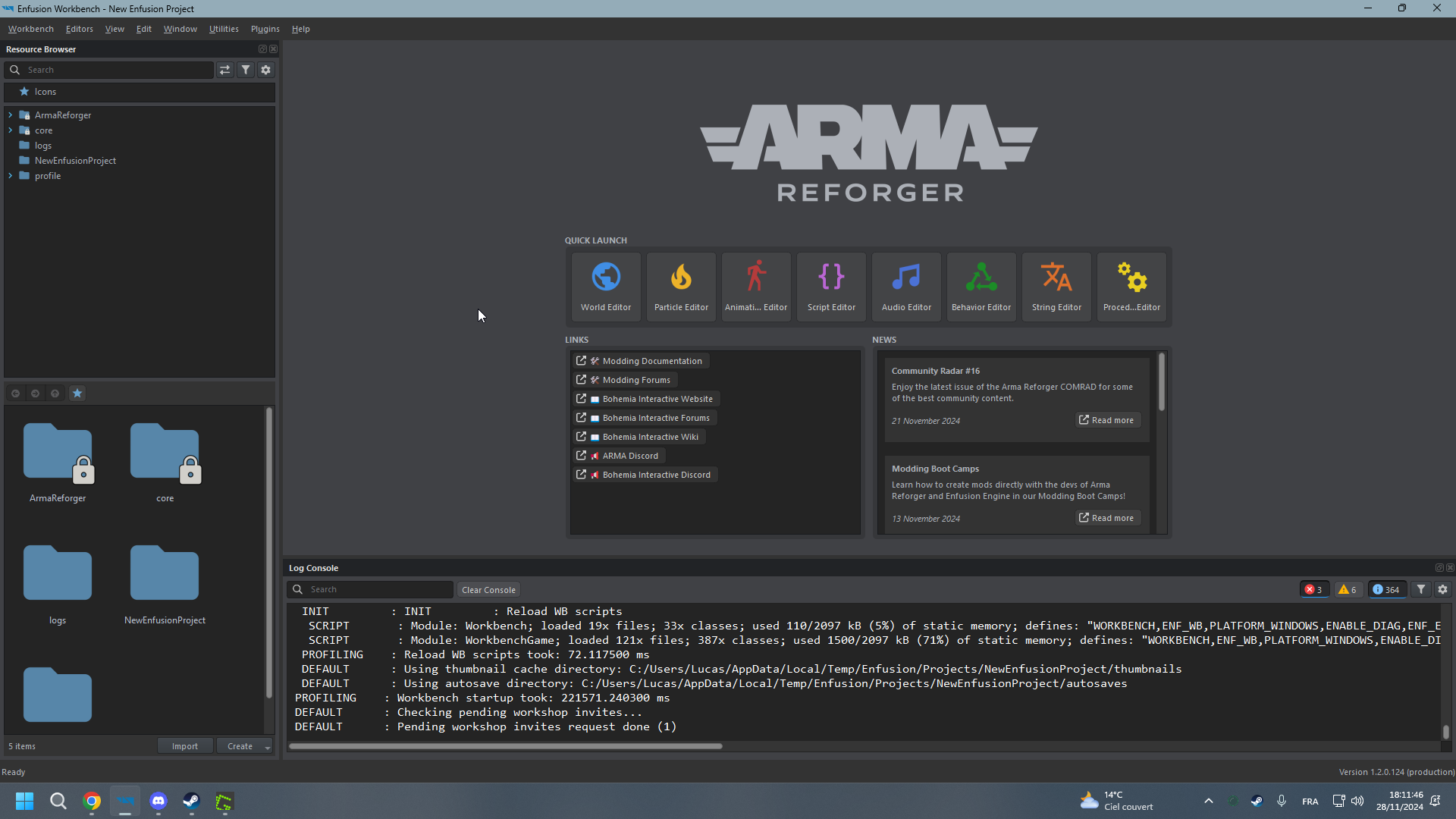
Once that done, you will see the Workbench main menu !
2. Introducing Workbench
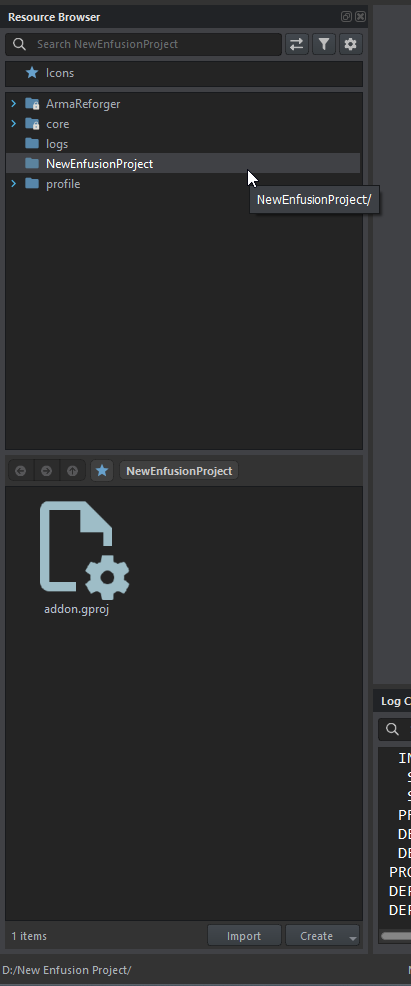
This window is used to find resources from your addon, the base game or from a dependency added at the creation of your project.
You can also open files (like World, image, 3D model...) from here (instead of opening the tool and opening the file from the tool).
In Arma Reforger/Enfusion, the most asset, system, prefab, texture, asset.. can be override or duplicate. For asset in your addon, you can aslo inherit.
Override: Override a asset from an addon or Arma Reforger. Caution, all assets will ride if you override it in your addon so be careful with this functionality. For example, if you override a BTR in your addon for delete all lights, every BTR in game will not have lights.
Duplicate: Duplicate a asset from an addon or arma reforger. Unlike override, duplicate allow you to modify an asset without modify every asset in game. For example, if you duplicate a BTR in your addon for delete all lights, just your BTR version will have no light ingame.
Inherit: Inherit allows you to create a child of your prefab in your addon. For example, if you create a car and you want to do a blue version of it, you just have to right click on your base car and click on inherit, it will create a new prefab and in this new prefab, you will allows to modify the color of your car and if you modify another setting in your base car, that will update your blue version automatically.

Now you have every tools ! So let's see what each one does:
- World Editor: This tool allows you to create a new map and modify yours future prefabs. (See here)
- Particle Editor: Create or modify easly particles.
- Animation Editor: Create, modify or adapt animations projects (high difficulty level in arma reforger, don't start by this).
- Script Editor: Create and modify scripts. Enfusion use C and Enforce syntax (See here)
- Audio Editor: Create and modify audio projects. (See here)
- Behavior Editor: Allows you to modify AI Behavior.
- String Editor: Allows you to create translation table or value string for example. (See here)
- Procedural Animation Editor: Create and modify procedural Animations (See here)
At the bottom, you have the Log Console, you will see here, all of what's appening behind the scenes of the Game simulated by the workbench. You have Errors in red, Warn in Orange and global information in white.

At the top, you have the navigation bar: