# Prefab Building Creation
**a - Prefab Création**
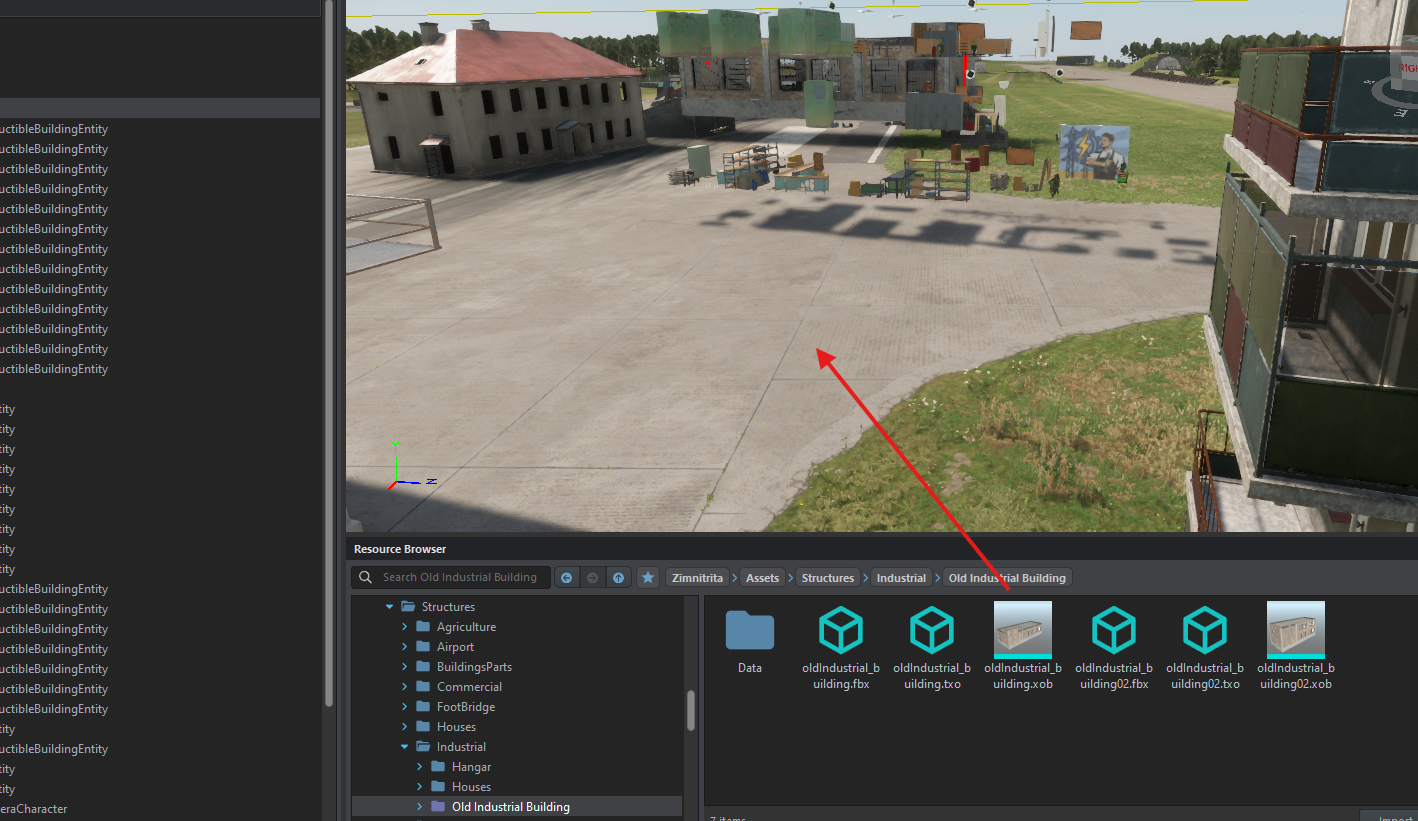
Open a custom world, drag and drop your XOB on your view port.
[](https://wiki.nabla.sh/uploads/images/gallery/2024-12/scaled-1680-/capture-decran-2024-12-17-164049.png)
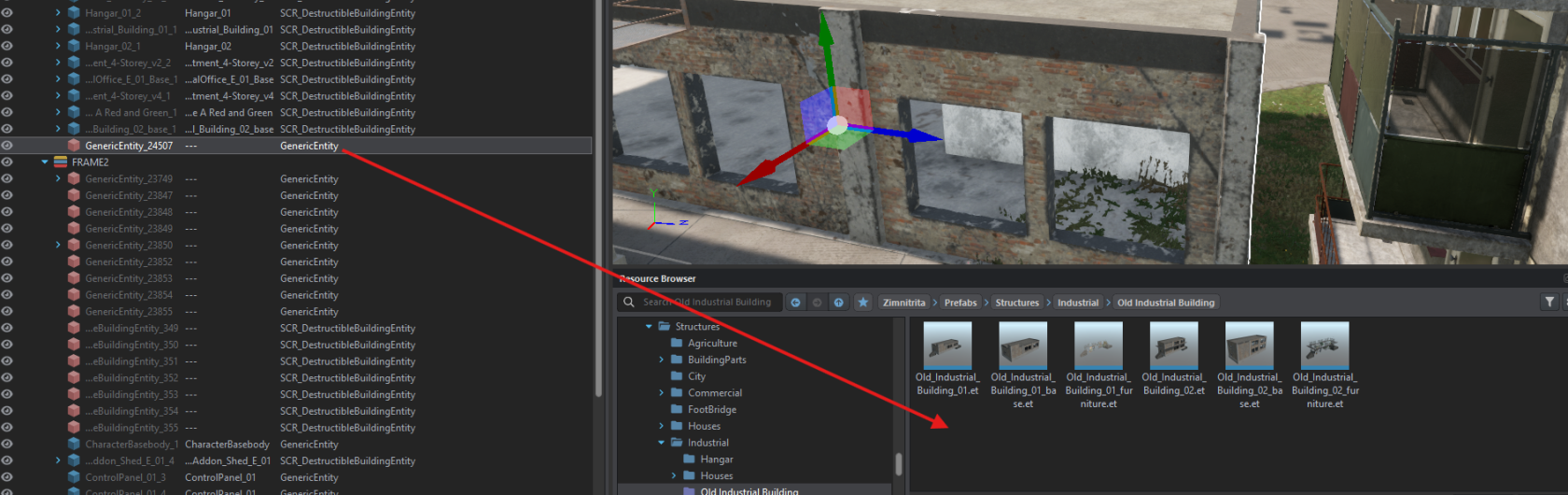
Take your generic entity en drag and drop on your ressource browser and give it a name like building**\_base**
[](https://wiki.nabla.sh/uploads/images/gallery/2024-12/scaled-1680-/capture-decran-2024-12-17-164136.png)
**b - Add Component**
Edit your prefab and on object properpy :
- Right clic on Generic entity--> change class --> SCR\_destructibleBuildingEntity[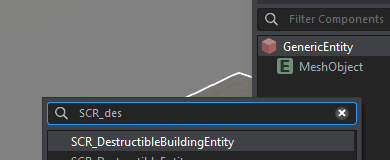](https://wiki.nabla.sh/uploads/images/gallery/2024-12/scaled-1680-/capture-decran-2024-12-17-164530.png)
- Check Relative Y and verify when "**is building**" was check
- Add RplComponent, Hierarchy, WorldSubsceneComponent
- Add RigidBody and check "**Static**" and "**Model Geometry**"
- Save and your building is RIGHT
- Add Occluder
- Add Persistence and uncheck "**Register Loaded"**
- Add an **SCR\_DestructibleComponent** on ArmaReforger/Prefab/Stuctures/Core/Destruction and add your building\_ruin on prefab\_ruin section of this component
**c - Add probeVolume**
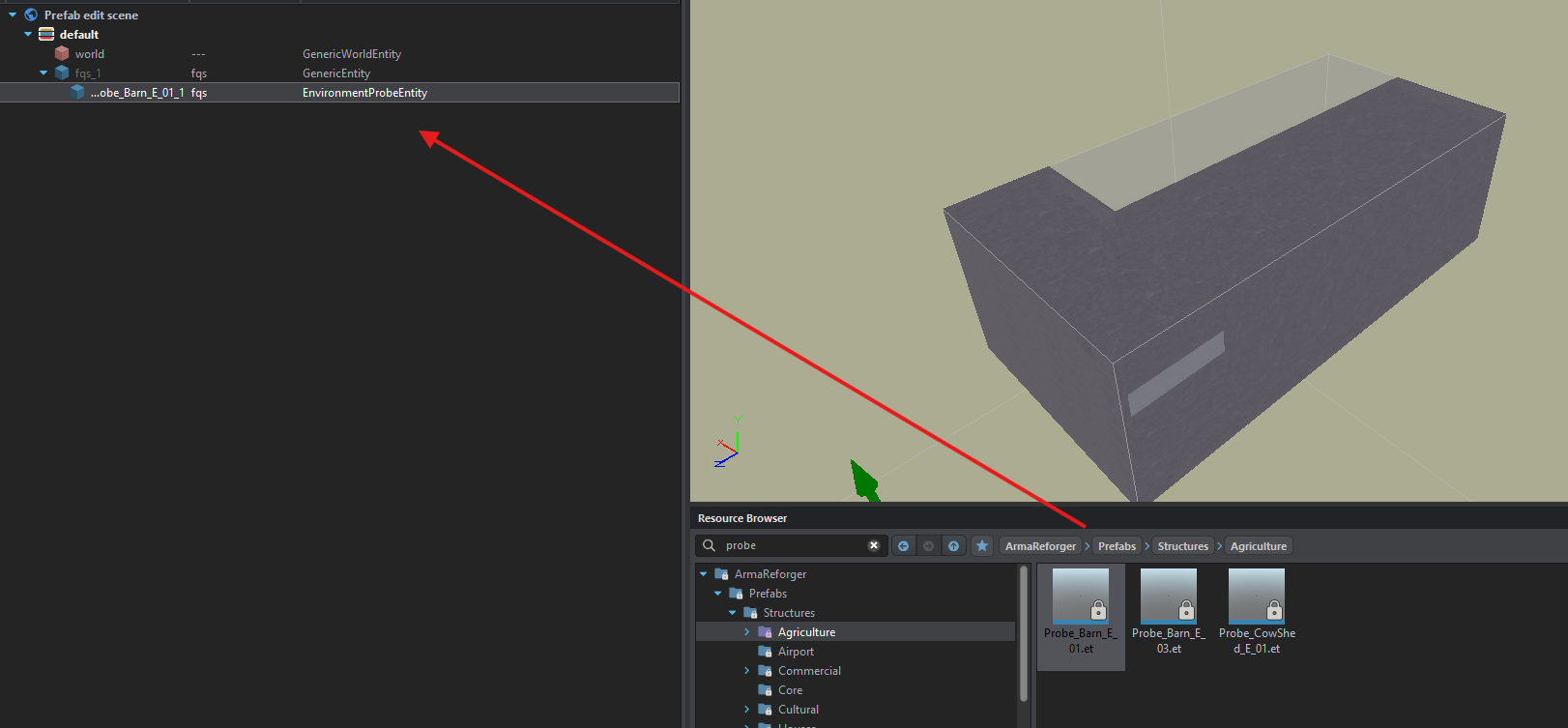
The volume probe allows you to have darkened buildings. To add more, simply search for “probe” and add it directly as a child in the building tree.
[](https://wiki.nabla.sh/uploads/images/gallery/2024-12/scaled-1680-/capture-decran-2024-12-17-165146.png)
**d - Add furniture**
An empty building is fine, but a building full of supplies is better! Following the nomenclature, there's the empty “building\_base” with a prefab inside, usually called “building\_furniture”.
To do this, open a custom world, drop the **prefab into the viewport**, then add a **genericentity** in the viewport's tree at coordinates **0.0.0**.
[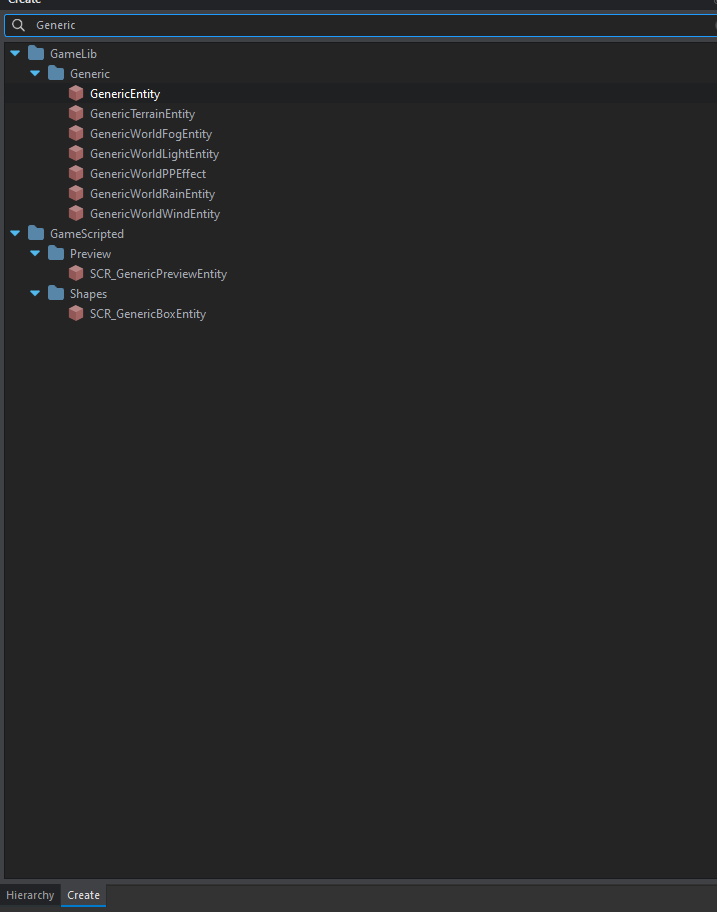](https://wiki.nabla.sh/uploads/images/gallery/2024-12/scaled-1680-/capture-decran-2024-12-17-170020.png)
[](https://wiki.nabla.sh/uploads/images/gallery/2024-12/scaled-1680-/capture-decran-2024-12-17-170130.png)
Then all the objects you place in the viewport must be put in the genericentity like this.
[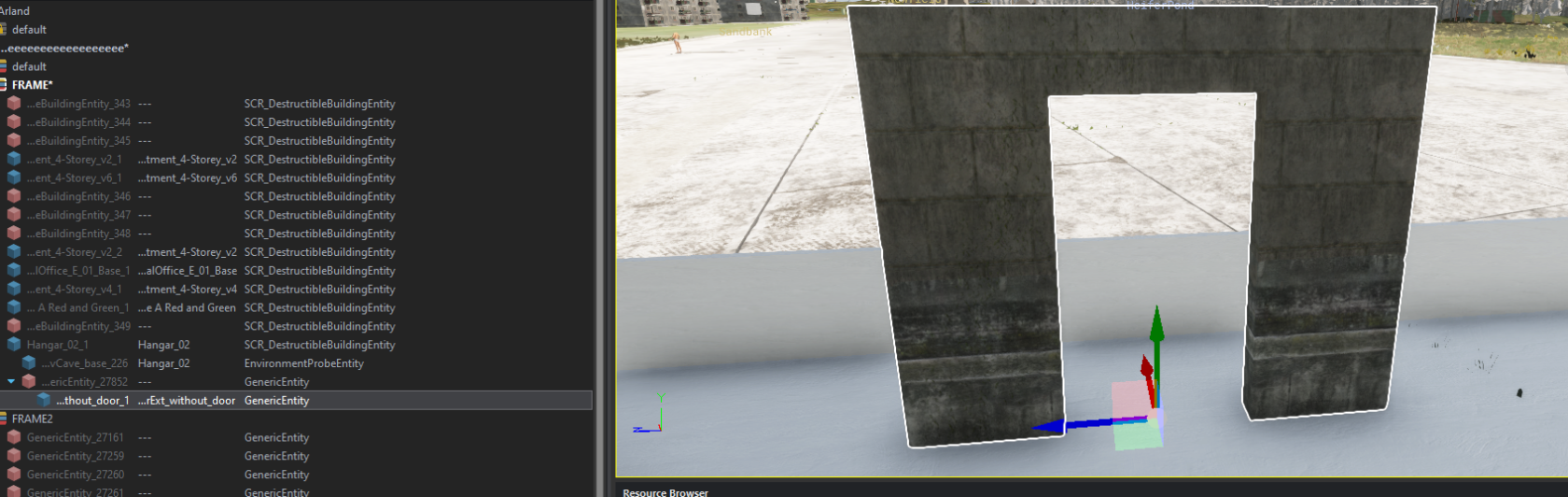](https://wiki.nabla.sh/uploads/images/gallery/2024-12/scaled-1680-/capture-decran-2024-12-17-170444.png)
Then select the generic entity, move it to your building's resource browser and give it the name building\_furniture.
[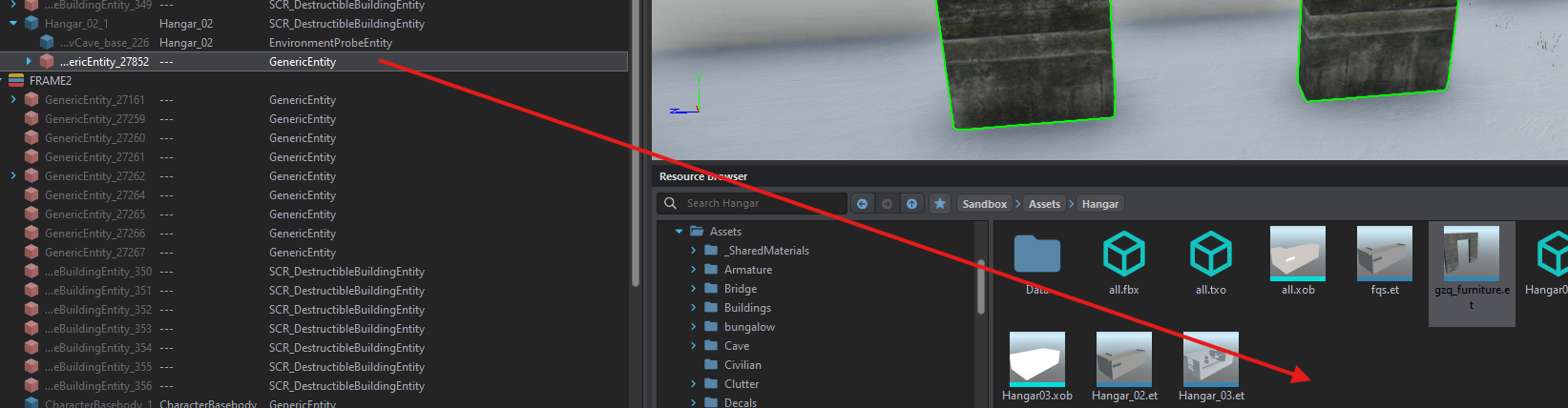](https://wiki.nabla.sh/uploads/images/gallery/2024-12/scaled-1680-/capture-decran-2024-12-17-170627.png)
Duplicate your batiment\_base and give it the name of the building --> edit it
Finally, move the building\_furniture into the building tree, as the generic entity was at coordinates 0.0.0, the furnitures will be in the same place where you placed them.
[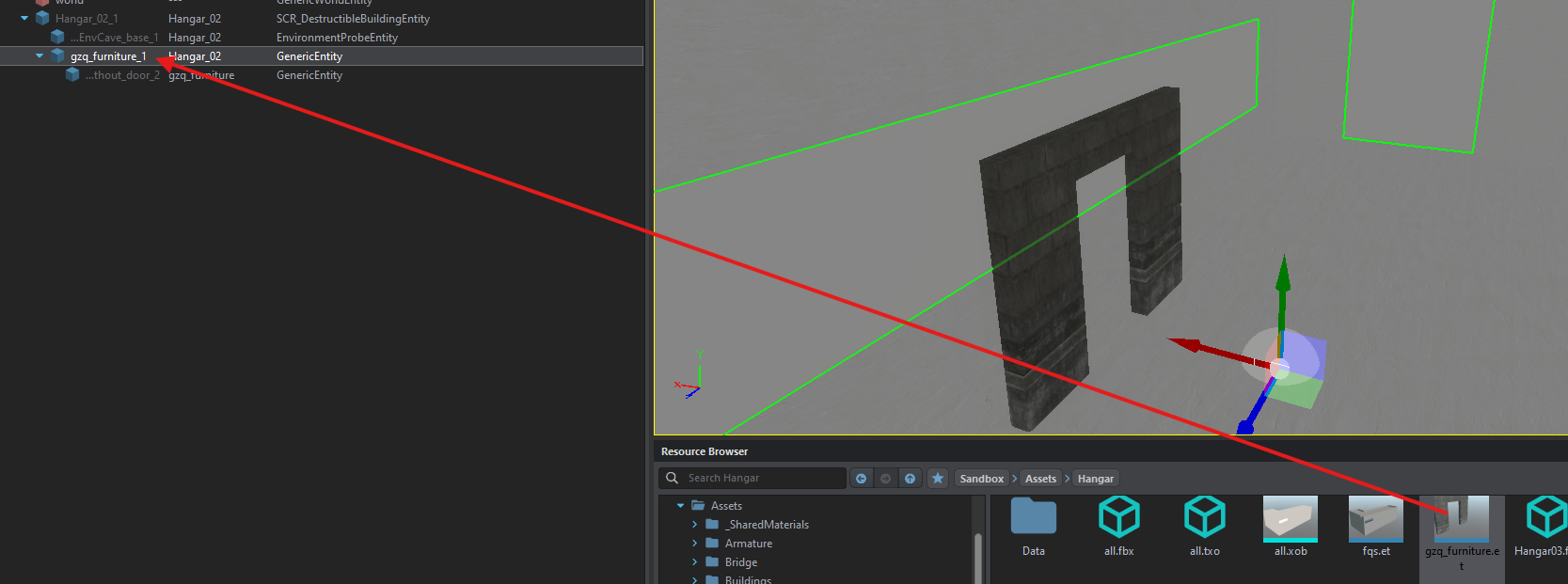](https://wiki.nabla.sh/uploads/images/gallery/2024-12/scaled-1680-/capture-decran-2024-12-17-170924.png)